


Visualping Discovery is an AI-powered feature that helps users find webpages worth monitoring without having to search for every URL manually. You describe the topic or change you want to follow, and the tool suggests relevant pages that you can select for monitoring.
For American businesses, researchers, marketers, and everyday internet users, important information can appear on hundreds of websites. Product prices change, job openings appear, competitors update their services, and government agencies publish new notices. Keeping track of every page manually can become exhausting.
Visualping Discovery simplifies the starting process by helping users move from an idea to a set of webpages they want to track. It is part of Visualping’s broader website-monitoring platform, which can detect changes and send alerts when relevant updates appear.
What Is Visualping Discovery?

Visualping Discovery is a feature in Visualping’s website-monitoring platform that helps users discover webpages related to a topic they want to follow. Instead of searching the internet for every relevant page and copying its address into a monitoring tool, users can describe what they need in ordinary language.
For example, an American shopper might want to follow price changes for popular laptops. A recruiter might want to discover pages that publish government job openings. A marketing manager could search for competitor pricing pages, product announcements, and company updates.
The system searches for relevant webpages and suggests pages that users can choose to monitor. According to Visualping’s published description, Discovery can suggest up to five pages in a search, with an option to find more. Users can review the suggestions before starting monitoring. <Cite refs={[“turn960987search1″,”turn960987search2”]}/>
This makes Visualping Discovery different from a conventional website-monitoring setup that begins with a URL. A traditional workflow assumes that you already know which webpage contains the information you need. Discovery helps with the earlier research step: finding the pages in the first place.
The feature is useful for people who know what information they want but do not know which websites publish it. It can also help existing users expand their monitoring coverage by finding pages similar to those they already follow.
However, discovering webpages is only the first step. Once monitoring begins, the selected pages use the checks available under the user’s Visualping plan. Users should therefore choose pages carefully instead of monitoring every suggestion without considering its value.
How Visualping Discovery Works
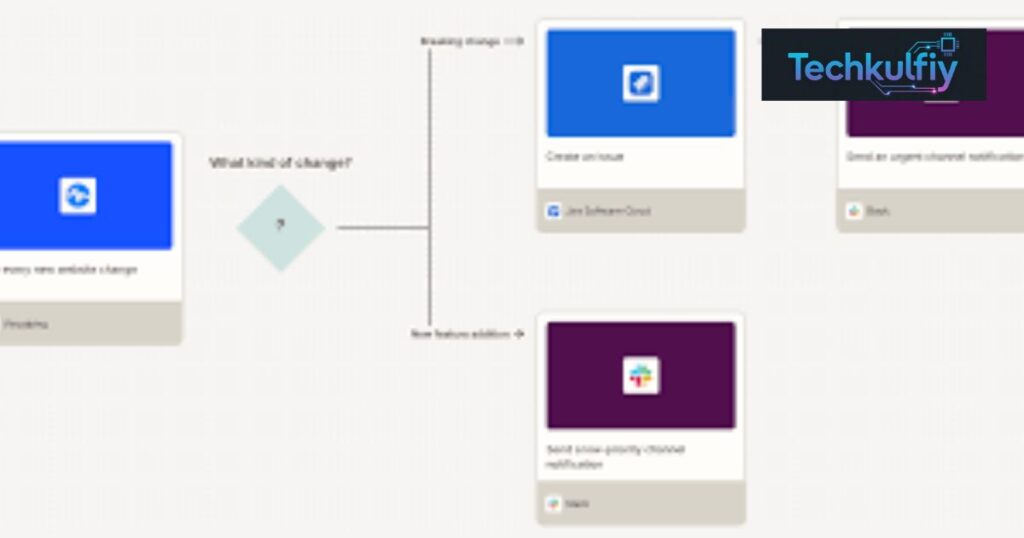
The Visualping Discovery workflow is designed to make webpage discovery straightforward. Users begin with a topic, review suggested pages, select the pages that matter, and start monitoring them.
The process can be understood through five stages.
First, the user describes what they want to monitor. This could be a broad topic such as product recalls in the United States or a more specific request involving the pricing pages of project management software companies.
Second, Discovery searches for webpages that match the request. The suggested results include a page title and a short explanation of why each page may be relevant.
Third, the user reviews the suggestions. This step matters because not every result will necessarily fit the user’s needs. Someone researching US food recalls, for example, may prefer official government notices over general news articles.
Fourth, the user selects the relevant pages and adjusts available monitoring settings. Depending on the workflow, settings such as checking frequency, notifications, and labels can be applied when starting the selected monitors.
Finally, the selected webpages are added to the user’s monitoring workspace. Visualping can then check those pages according to their configured schedules and identify changes.
Visualping Discovery also supports finding additional pages and discovering pages similar to those already monitored. This makes it useful not only for creating a first monitoring setup but also for expanding an existing collection.
Searches through Discovery do not consume monitoring checks, according to Visualping’s published documentation. However, the monitors created from those searches use checks when they begin running. <Cite refs={[“turn960987search1″,”turn960987search2”]}/>
Key Features of Visualping Discovery
One of the main advantages of Visualping Discovery is that it combines webpage discovery with the existing monitoring workflow. Users do not have to finish their research in one tool and then manually transfer every result into another.
The feature offers several capabilities that can make monitoring easier to organize.
Natural-language search lets users describe the subject they want to follow rather than requiring them to know every website address in advance.
AI-assisted page suggestions help identify webpages that may be relevant to the request. The accompanying explanations allow users to understand why a page appeared in the results.
Multiple-page selection allows users to choose several relevant pages and start monitoring them together instead of setting up each monitor separately.
Find more pages helps users expand the initial results when they need broader coverage.
Find similar pages helps existing users discover webpages related to a page they already monitor. For example, a business tracking one competitor’s pricing page could search for similar pricing pages from other companies.
Existing-page awareness helps avoid suggesting pages that the workspace is already actively monitoring. Visualping’s documentation also states that pages that cannot load for preview are excluded from AI suggestions. <Cite refs={[“turn960987search1″,”turn960987search2”]}/>
The following table summarizes these features.
| Feature | How it works | Main benefit |
|---|---|---|
| Natural-language search | Users describe the topic they want to track | Less manual URL research |
| AI page discovery | Relevant webpages are suggested | Faster setup |
| Multiple-page selection | Several pages can be selected together | Less repetitive work |
| Find more pages | Additional suggestions expand coverage | Broader research |
| Find similar pages | Searches for pages related to an existing monitor | Easier competitor tracking |
| Monitoring setup | Selected pages become monitors | Connects discovery with action |
| Workspace awareness | Active monitors are excluded from suggestions | Helps reduce duplication |
These capabilities make Visualping Discovery particularly helpful when the main challenge is finding the right pages rather than monitoring a single known URL.
How Visualping Discovery Helps Track Competitors
Competitive research requires businesses to understand what other companies are doing. Competitors can change prices, add product features, update their messaging, introduce new services, or publish announcements that affect market expectations.
For a US software company, checking each competitor’s website every day can become a time-consuming task. The company may need to review several pricing pages, product pages, documentation sections, and announcement pages.
Visualping Discovery can help with the initial research by finding webpages related to a competitive-monitoring request. A marketing team might search for pricing pages from leading project management tools or product pages from competing software providers.
After reviewing the suggestions, the team can select the pages most relevant to its research. Visualping’s monitoring functionality can then detect changes on those pages and notify the team according to the configured settings.
This process supports competitor monitoring, which can help businesses notice developments that deserve further investigation.
For example, suppose a competing software company changes its public pricing structure. A monitored page could reveal that the displayed prices or plan descriptions have changed. The research team can then review the update and determine whether it affects the company’s positioning.
However, a webpage change does not automatically reveal the competitor’s entire strategy. A price change may reflect a temporary promotion, a regional adjustment, or an experiment. Teams should verify important details before changing their own pricing or marketing plans.
Visualping Discovery helps businesses find the pages to watch, while human analysis remains important for interpreting what those changes mean.
Using Visualping Discovery for Price Tracking
Online prices can change frequently. Retailers may adjust prices during seasonal sales, modify product availability, introduce discounts, or update subscription plans.
Consumers and businesses often want to know when a product becomes cheaper or when a competitor changes its prices. Checking every product page manually can be frustrating, especially when the same item is sold by several retailers.
Visualping Discovery can help users find webpages related to product pricing and availability. A shopper might describe a category of products they want to follow, while a purchasing team could look for pricing pages from suppliers.
Once the user selects suitable pages, Visualping can monitor changes to those pages. Its broader monitoring system can detect visual, text, and code changes, with alerts that help users review what has changed. <Cite refs={[“turn960987search0″,”turn960987search4”]}/>
Consider an American small business that purchases office equipment from multiple suppliers. The purchasing manager could monitor relevant product pages and investigate changes in advertised prices or availability.
This approach may help teams identify opportunities to review their purchasing decisions. It can also reduce the need for employees to revisit the same pages repeatedly.
Nevertheless, Visualping Discovery does not guarantee the lowest price or ensure that every product listing will be discovered. A displayed price may exclude taxes, shipping, membership requirements, or other conditions.
Users should also confirm the final price at checkout and check whether a deal is still available before making a purchase.
Visualping Discovery for Job Searches and Career Research
Finding relevant job opportunities can require searching many employer websites, government portals, and recruitment pages. Some organizations publish vacancies on their own websites before they appear on broader job platforms.
For American job seekers, this can make website monitoring useful. A candidate may want to follow career pages for particular employers, public-sector recruitment notices, internship programs, or application deadlines.
Visualping Discovery can help users search for webpages related to these opportunities. For example, a user could describe a need to monitor career pages for entry-level technology jobs in the United States.
After reviewing the suggested pages, the user can select relevant sources and begin monitoring them. Visualping may then alert the user when changes are detected on those pages.
This can be useful when a job posting appears, an application deadline changes, or an employer updates a recruitment page. However, the exact result depends on which pages are discovered and what changes the monitoring configuration detects.
Job listing monitoring should complement, not replace, regular job searching. Some employers use dynamic websites, external application systems, or pages that are difficult to monitor consistently.
Users should verify vacancies on the employer’s official website before submitting personal information. They should also be cautious of fraudulent job offers that request upfront payments or unnecessary sensitive information.
With careful source selection, Visualping Discovery can help job seekers organize their research and reduce the effort required to revisit many career pages manually.
Monitoring News, Government Notices, and Regulations
Government agencies and public organizations publish updates that can affect consumers, businesses, and professionals. Examples include product recalls, policy changes, public notices, regulatory guidance, and official announcements.
For US organizations, keeping up with these updates can be particularly important when decisions depend on current information. A company operating in a regulated industry may need to follow official notices, while a consumer may want alerts about product safety.
Visualping Discovery can help users identify webpages that publish relevant announcements. Someone researching food safety might search for official recall pages, while a business could look for regulatory updates from agencies relevant to its industry.
After selecting the appropriate sources, users can configure monitors to check those pages and send alerts when changes are detected.
The benefit is not simply that the tool finds information. It can also help create a repeatable process for checking official sources rather than relying exclusively on social media posts or occasional news searches.
However, not every update has the same significance. A webpage may change because of formatting, navigation updates, or corrections that do not affect the underlying policy.
Users should review the actual change and confirm important announcements against the original source. For legal, financial, or compliance decisions, they may also need professional advice.
Visualping Discovery is a discovery and monitoring aid, not a substitute for interpreting laws or verifying official requirements.
Visualping Discovery for SEO and Digital Marketing
Search engine optimization professionals regularly monitor competitor websites, product pages, content updates, and other online signals. These activities can help them understand changes in a market and identify topics that deserve further research.
For example, an SEO specialist may want to follow competing agencies, software providers, industry publications, or businesses operating in a particular niche.
Visualping Discovery can help find relevant webpages based on a natural-language description. Instead of locating every competitor’s page individually, the specialist can review suggested pages and select the most useful sources.
Once monitoring starts, Visualping can help identify changes on those pages. An SEO professional might notice an updated service description, a new pricing section, or a revised product page.
These observations can inform competitor analysis, but they do not directly reveal search rankings, organic traffic, backlink profiles, or keyword difficulty. Those questions require suitable SEO research tools and data.
For content teams, monitoring relevant industry pages may also help identify emerging subjects that deserve further investigation. However, a competitor’s update should not automatically be copied. Content strategy should still focus on the needs of the intended audience and the quality of the information provided.
Visualping Discovery is most useful as one part of a broader research workflow. It helps users find and monitor pages, while SEO tools, analytics, and editorial judgment answer other questions.
How to Get Started With Visualping Discovery
Getting started with Visualping Discovery involves choosing a clear topic, reviewing the suggested pages, and configuring monitors.
First, sign in to Visualping and open the monitor creator. Choose the Discovery tab rather than the option for adding a single known webpage.
Next, describe the information you want to track. Specific requests often make it easier to evaluate whether a suggested page is relevant. For example, “official US product recall announcements” is more useful for a focused task than simply entering “news.”
Review the suggested pages and open the ones that appear relevant. Check whether the source is official, whether it publishes the type of information you need, and whether its updates are likely to matter.
Then select the pages you want to monitor. You can remove irrelevant suggestions and use the available controls to configure monitoring settings, such as checking frequency and notifications.
If the initial results are insufficient, use the option to find more pages. If you already monitor a related webpage, use the similar-page discovery option to expand your coverage.
Finally, review the active monitors in your workspace and remove pages that no longer serve a purpose.
Visualping’s documentation explains that Discovery is available on all plans, including Free, and that searches themselves do not consume monitoring checks. The pages you start monitoring still count toward the limits of your plan. <Cite refs={[“turn960987search1″,”turn960987search2”]}/>
Starting with a small, relevant set of pages is often better than creating dozens of monitors before understanding which alerts are useful.
Is Visualping Discovery Free?
One appealing aspect of Visualping Discovery is that the discovery search is available across Visualping’s plans, including the Free plan. According to the product’s published documentation, searches do not consume monitoring checks. <Cite refs={[“turn960987search1″,”turn960987search2”]}/>
However, this does not mean that unlimited webpage monitoring is free. Once a user starts monitoring a page, the monitor uses checks according to its schedule. The number of pages and checks available depends on the subscription.
Visualping’s published plan information lists a Free plan with a monthly allowance of 150 checks across up to five pages. Plan details and limits can change, so users should confirm the current terms before relying on a particular allowance. <Cite refs={[“turn960987search5″,”turn960987search9”]}/>
For someone tracking a few important pages, a free account may be enough to test the service. A business monitoring many competitors or regulatory sources may need a paid plan with a larger monitoring allowance or additional team features.
Before upgrading, users should estimate how often each page needs to be checked. Monitoring a page every hour can use more checks than monitoring it once a day.
The best plan depends on the number of pages, the required checking frequency, and the value of receiving timely alerts.
Advantages and Limitations of Visualping Discovery
Visualping Discovery offers several advantages for users who need to monitor information across the web. Its main benefit is reducing the manual work involved in finding pages before monitoring begins.
Natural-language searches make the initial process easier for people who do not already know the relevant URLs. Suggested pages also provide a starting point for reviewing potential sources.
The ability to find more pages or discover pages similar to existing monitors can help businesses expand their coverage. Combined with Visualping’s change-detection features, this can create a more organized approach to tracking online information.
There are limitations, however. Discovery suggestions may not include every relevant webpage, and some results may be less useful than others. Users still need to check the source and choose appropriate pages.
Monitoring also depends on whether a webpage can be accessed and checked successfully. Some websites use dynamic content, login requirements, anti-bot protections, or other technical features that can affect monitoring.
Another consideration is alert quality. A change may be technically detectable but irrelevant to the user’s actual goal. Careful configuration and review can help reduce unnecessary notifications.
The following table summarizes the main trade-offs.
| Advantages | Limitations |
|---|---|
| Finds webpages from a topic description | Suggestions may not cover every useful source |
| Helps users start multiple monitors together | Users must review and select relevant pages |
| Supports finding pages similar to existing monitors | Similar pages may not always be useful |
| Discovery searches do not use monitoring checks | Active monitors still consume plan checks |
| Works with Visualping’s broader change-detection system | Website access and structure can affect results |
| Useful for business and personal research | Does not replace expert interpretation |
Overall, Visualping Discovery can simplify the process of setting up website monitoring, but its value depends on choosing suitable sources and using alerts thoughtfully.
Frequently Asked Questions
What is Visualping Discovery?
Visualping Discovery is an AI-powered feature that searches for webpages related to a topic and suggests pages that users can select for website monitoring.
How many webpages can Visualping Discovery suggest?
Visualping describes up to five suggestions per search, with an option to find more. Pages explicitly named in a request may be handled separately from AI suggestions.
Is Visualping Discovery free to use?
Discovery is available on all Visualping plans, including Free, and searches do not use monitoring checks. Monitors created through Discovery still use the checks available under the user’s plan.
Can Visualping Discovery find competitor websites?
Yes. Users can describe the competitor pages or market information they want to follow, review the suggested pages, and choose relevant ones for monitoring.
Can Visualping Discovery monitor product prices?
Discovery can help users find product or pricing pages. After those pages are selected for monitoring, Visualping can detect supported webpage changes, but users should verify final prices and purchase conditions.
Is Visualping Discovery useful for SEO?
It can help SEO professionals discover competitor pages and industry sources to monitor. It does not independently provide comprehensive keyword rankings, backlink data, or organic traffic estimates.
Does Visualping Discovery send alerts automatically?
Discovery helps users find and start monitors. After monitoring is configured, Visualping can send alerts about detected changes through the notification options available to the user’s account and plan.
Can Visualping Discovery find pages similar to an existing monitor?
Yes. Its Find similar feature can search for webpages related to a page that the workspace already monitors.
Conclusion
Visualping Discovery makes website monitoring easier to set up by helping users find relevant webpages through natural-language searches. Instead of beginning with a list of URLs, users can start with a question or topic and review suggested sources that may contain the information they want to follow.
For American consumers, job seekers, marketing professionals, and businesses, this can reduce the time spent searching for pages manually. It can support research into product prices, job listings, competitor activity, public notices, and other information that changes over time.
The feature also works alongside Visualping’s wider monitoring capabilities, which can identify webpage changes and provide alerts. Its options for finding more pages and discovering similar pages can help users expand their monitoring setup as their needs develop.
Nevertheless, Visualping Discovery is not a guarantee that every important webpage will be found. Users should check the relevance and reliability of suggested sources, configure monitoring carefully, and verify important changes before making decisions.
The free availability of Discovery searches makes it practical to explore the feature before committing to a larger monitoring setup. Users should still understand that active monitors consume checks and that subscription limits apply.
Ultimately, Visualping Discovery is most valuable when it helps users build a focused collection of trustworthy webpages and receive meaningful updates from those sources. With clear monitoring goals and regular review, it can become a useful part of a personal research routine or a business intelligence workflow.
