

Windows Agentic AI update is changing how users interact with their computers. Microsoft is adding smarter AI capabilities that can understand tasks, context, and user intent.
Imagine telling Windows what you want instead of opening several apps and settings yourself. This new approach could make everyday computing faster, easier, and more automated.
The Windows Agentic AI update is part of Microsoft’s move toward autonomous AI operating systems. With Microsoft AI agents Windows could handle more tasks while keeping users in control.
What Is the Windows Agentic AI Update?
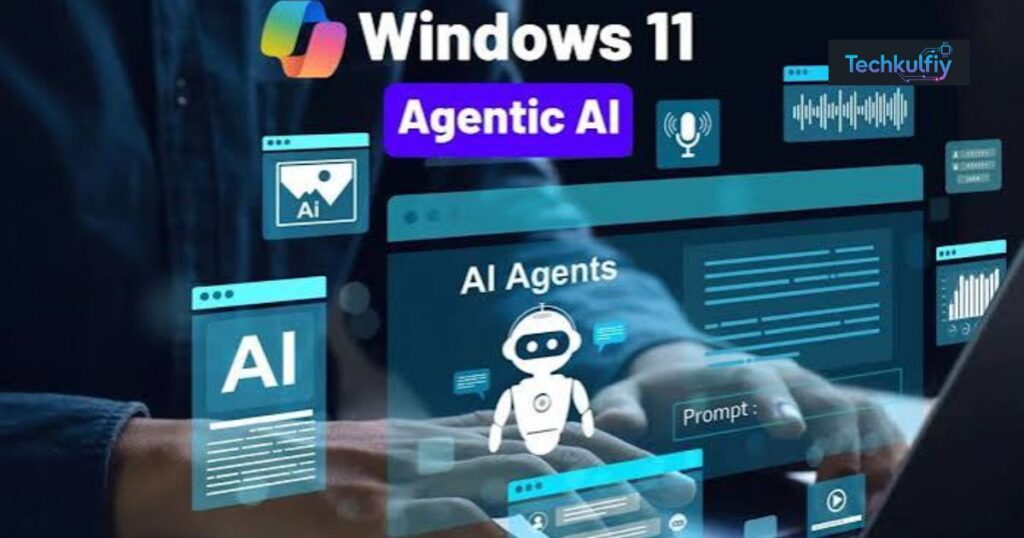
The Windows Agentic AI update represents Microsoft’s broader move toward an operating system where AI can do more than generate answers. Traditional assistants wait for instructions and usually complete one request at a time. Agentic AI is designed around goals, reasoning, actions, and follow-up steps.
For example, you might ask an AI agent to organize documents related to a project. Instead of simply telling you where files are located, an agent could potentially identify relevant documents, understand their contents, organize them, and help prepare the next step.
This is where AI agents in Windows become different from conventional search tools.
An agent can potentially work across multiple applications and services while keeping the user’s objective in context. Rather than treating every command as a separate question, it can approach a task as a connected workflow.
The larger goal is to make Windows more useful without forcing users to learn complicated commands or manually move information between applications.
Why Microsoft Is Moving Toward Agentic AI
Microsoft has invested heavily in artificial intelligence across its products, including cloud services, productivity software, developer tools, and Windows. The next logical step is bringing those capabilities closer to the operating system itself.
For years, an operating system primarily provided a platform for applications. You opened a browser, launched a document editor, searched for files, or changed system settings yourself.
Agentic computing could reverse part of that relationship.
Instead of asking, “Which application should I open?” users may increasingly ask, “Can you help me finish this task?”
That distinction matters.
An AI-powered operating system can become a layer between the user and individual applications. The user focuses on the result, while the AI helps determine the steps required to reach it.
Microsoft’s advantage is that Windows already sits at the center of millions of desktop workflows. It has access to the operating system environment, applications, files, settings, and increasingly powerful AI infrastructure.
That gives Microsoft a significant opportunity to turn Windows from a passive platform into a more active digital assistant.
How Microsoft AI Agents Could Change Windows
The biggest change may not be a single new feature. Instead, it could be the gradual integration of Microsoft AI agents throughout the Windows experience.
Consider a simple example.
You need to prepare for a meeting. Traditionally, you might search your files, open emails, check a calendar, review previous documents, and create notes manually.
An intelligent agent could potentially connect these steps into one workflow.
You could give it a goal such as preparing meeting materials. The system could identify relevant information, summarize documents, locate previous discussions, and help organize the material.
This is the fundamental promise of agentic AI: fewer individual commands and more goal-based interaction.
The technology could eventually support tasks such as file organization, troubleshooting, research assistance, application workflows, scheduling, document preparation, and system configuration.
However, the exact capabilities will depend on Microsoft’s implementation, security controls, supported applications, and the permissions given to each agent.
Windows Copilot Is Only Part of the Bigger Picture
Microsoft’s AI strategy in Windows is closely associated with Copilot, but agentic computing goes further than a traditional chatbot.
A chatbot primarily communicates with you.
An agent is expected to communicate and act.
That difference is extremely important.
Suppose you ask a chatbot, “How can I free up storage on my PC?” It might provide instructions explaining which files you should remove.
An agentic system could potentially inspect storage usage, identify unnecessary files, recommend actions, and—where permission is available—help perform those actions.
This changes the user’s role from operator to supervisor.
You still decide what should happen, but the AI can potentially handle more of the repetitive work.
That model could make Windows easier for beginners while also saving time for experienced users.
What Makes an Operating System Agentic?
The term autonomous AI operating systems can sound futuristic, but the concept can be understood through a few important capabilities.
An agentic operating system needs to understand a user’s objective rather than only individual commands. It also needs access to relevant context, the ability to reason through multiple steps, and tools that allow it to perform approved actions.
For example, imagine you say:
“Find my recent project files and create a folder containing the latest versions.”
A traditional search system might find the files.
An agent could potentially understand “latest versions,” compare files, identify duplicates, create a folder, and organize the selected documents.
The difference is not simply intelligence. It is context + reasoning + action.
A useful agent therefore needs several layers working together.
| Capability | What It Does |
|---|---|
| Natural-language understanding | Understands what the user wants |
| Context awareness | Uses relevant information from the current task |
| Reasoning | Determines the steps needed |
| Tool access | Interacts with supported apps and system functions |
| Memory | Maintains useful task context |
| Permissions | Controls what the agent is allowed to do |
| Human oversight | Lets users approve important actions |
These components could gradually become part of the Windows experience as Microsoft’s AI strategy develops.
The Role of AI PCs in Microsoft’s Vision
The growth of AI PCs is another important part of this transition.
Modern Windows devices increasingly include specialized hardware designed to handle AI workloads. Neural processing units, commonly called NPUs, can process certain AI tasks more efficiently than traditional processors.
This matters because an agentic Windows experience could require continuous AI processing.
Not every task needs to be sent to the cloud. Some workloads can potentially run locally, which may improve responsiveness and reduce the need to transmit sensitive information.
This creates a hybrid model.
Some AI processing can happen directly on the device, while more demanding workloads can use cloud infrastructure.
For users, the ideal result is an AI experience that feels fast while maintaining appropriate privacy and security controls.
The Windows AI PC therefore isn’t just about adding a faster processor. It represents a broader change in how computers are designed to interact with AI.
Local AI vs Cloud AI in Windows
One of the most important questions surrounding Microsoft’s AI direction is where processing should happen.
Local AI has an obvious advantage: sensitive information can potentially remain on the device for certain tasks.
It can also reduce dependence on an internet connection for supported workloads.
Cloud AI, however, provides access to larger models and more powerful computing resources.
Microsoft can therefore combine both approaches.
A simple task could run locally, while a complex reasoning task could use cloud infrastructure.
This hybrid architecture may become particularly important for agentic systems because agents can involve multiple steps and different types of information.
For example, an agent might use a local model to understand a basic command while calling a cloud service for a more complex analysis.
The challenge is making the transition invisible to the user without compromising transparency.
Users need to know what data is being processed, where it is processed, and what actions the agent is allowed to take.
Security Could Become the Biggest Challenge
Giving AI more control over an operating system creates enormous opportunities, but it also introduces serious risks.
An AI that can read files, launch applications, modify settings, or perform actions has more power than a normal chatbot.
That means AI security becomes a central part of Microsoft’s Windows strategy.
Imagine an agent receives a malicious instruction hidden inside a document. If the agent treats that instruction as trustworthy, it could potentially perform an unwanted action.
This type of problem is one reason agentic systems need strong permission boundaries.
Users should not have to give an AI unrestricted access to everything on their computer.
A safer model would separate low-risk and high-risk actions.
For example, summarizing a document might require minimal permission. Deleting files, changing security settings, installing software, or making financial transactions would require much stronger safeguards and potentially explicit confirmation.
The future of Windows agents will therefore depend not only on how intelligent they become, but also on how carefully Microsoft controls what they can do.
Will AI Agents Replace Traditional Windows Apps?
Probably not in the simple sense of applications disappearing.
Instead, AI agents may become an additional layer connecting users with applications.
Think about how search engines changed the web. Websites didn’t disappear because search became popular. Search simply became a more convenient way to find them.
AI agents could play a similar role inside Windows.
You may still use Word, Excel, Edge, File Explorer, Teams, and other applications. However, you may increasingly ask an agent to coordinate tasks across them.
For example, an employee could ask an AI system to prepare a report using information from several approved documents. The agent might help collect information, summarize it, and prepare a draft while the user reviews the result.
The applications remain important.
The interaction model changes.
This could make AI automation in Windows one of the most significant developments in desktop computing.
What Could Windows Agents Do for Everyday Users?
The practical benefits could be substantial.
For students, an agent could help organize research files, summarize approved materials, or prepare a study schedule.
For office workers, it could help coordinate documents, summarize meetings, and reduce repetitive administrative tasks.
For developers, agents could assist with project files, debugging workflows, documentation, and development environments.
For ordinary users, the benefits could be even simpler.
Instead of searching through folders manually, you could describe what you’re looking for.
Instead of opening multiple settings pages, you could explain the problem.
Instead of remembering where a particular option exists, you could ask Windows to guide you.
This could make computers feel less like collections of menus and more like intelligent tools that understand intent.
The Biggest Difference: From Commands to Goals
The evolution of computing has always involved reducing the amount of technical knowledge users need.
Early computers required specialized commands.
Graphical interfaces made computing more visual.
Smartphones introduced touch-based interaction.
AI introduces another layer: conversational and goal-based interaction.
This means the Windows Agentic AI update is potentially part of a much larger transformation.
The important question becomes less about which button you need to click and more about what you want to accomplish.
For example:
“Find the photos from my trip and organize the best ones.”
That is a goal.
A traditional operating system might require several manual actions. An agentic system could potentially interpret the goal and determine the workflow.
This doesn’t mean the AI will always make the right decision. It means Windows could increasingly help manage the complexity behind the scenes.
What Does This Mean for Windows Users?
For everyday Windows users, the transition could be gradual.
You probably won’t wake up one morning to a completely autonomous computer.
Instead, Microsoft is likely to introduce AI capabilities through individual features, applications, system experiences, and AI-enabled devices.
Over time, these capabilities can become more connected.
The user experience may move from asking AI isolated questions to giving AI larger tasks.
This also means users will need to become comfortable with permissions and AI controls.
The smartest computer isn’t necessarily the one that can do everything.
It’s the one that knows what it is allowed to do.
That distinction will become increasingly important as Microsoft AI agents Windows capabilities expand.
The Future of Autonomous AI Operating Systems
The concept of autonomous AI operating systems is still developing, but the direction is clear.
Computers are becoming more capable of understanding natural language, analyzing context, and performing multi-step tasks.
Windows has a particularly important position because it already controls the desktop environment where many of these activities happen.
In the future, you may not think about your operating system as a collection of applications and settings.
You may think of it as an intelligent environment that helps coordinate your digital work.
Imagine starting your workday and asking:
“Prepare everything I need for today’s meetings.”
An advanced system could potentially check your calendar, locate relevant documents, summarize previous conversations, and organize the information you need.
You would still review the results.
But much of the repetitive preparation could happen automatically.
That is the deeper idea behind agentic computing.
Microsoft Has to Balance Convenience and Control
There is an obvious temptation to make AI as autonomous as possible.
But more autonomy isn’t automatically better.
If an agent makes a mistake while drafting an email, the damage may be minor.
If it deletes an important file or changes a critical system configuration, the consequences could be much greater.
Microsoft therefore has to balance automation with human oversight.
The best Windows agent may not be one that acts without asking.
It may be one that knows when to act independently and when to stop and ask for confirmation.
This could lead to permission systems designed specifically for AI.
Instead of simply asking whether an application can access your files, Windows could eventually provide more detailed controls over what an AI agent can read, change, or execute.
That would make AI permissions an important part of everyday Windows security.
How Agentic AI Could Change Productivity
The productivity potential is perhaps the strongest argument for Microsoft’s strategy.
Many computer tasks aren’t difficult because they require advanced knowledge. They’re difficult because they involve repetitive steps.
Finding files, copying information, checking multiple sources, organizing folders, preparing summaries, and moving information between applications can consume hours.
An agent could potentially automate portions of these workflows.
For businesses, even small time savings can become significant when multiplied across thousands of employees.
For individuals, the benefit is simpler: less time spent fighting with the computer.
This is why AI productivity tools are moving toward automation rather than simple question answering.
The next generation of AI may not just tell you how to complete work.
It may help complete the work with you.
Will Windows Become Fully Autonomous?
A completely autonomous Windows computer is unlikely to be the immediate goal.
Users still need control.
Businesses need compliance.
Developers need predictable environments.
Security teams need strict boundaries.
Microsoft therefore has strong reasons to introduce autonomy carefully.
The more realistic future is a semi-autonomous operating system where users delegate specific tasks while maintaining control over important decisions.
You might allow an agent to organize documents but require confirmation before deleting anything.
You might allow it to prepare an email but require approval before sending it.
You might let it troubleshoot a common issue but require confirmation before changing an important system setting.
This model could provide much of the convenience of automation without handing over complete control.
What Users Should Watch for Next
As Microsoft continues developing its AI strategy, users should pay attention to more than flashy demonstrations.
The most important developments will involve actual system integration.
Watch for improvements in Windows AI features, deeper connections between applications, better local AI processing, stronger agent permissions, and more practical automation.
The success of agentic Windows will ultimately depend on whether these features solve real problems.
If an AI agent saves users time while remaining predictable and secure, adoption could be rapid.
If it creates confusion, privacy concerns, or unreliable actions, users may hesitate to trust it.
The technology is powerful, but trust will determine how deeply it becomes part of everyday computing.
Is Agentic Windows the Next Major Computing Shift?
Windows has evolved repeatedly since the personal computer became mainstream.
The graphical desktop changed how people interacted with computers. The internet changed what computers could access. Smartphones changed how people interacted with digital services.
Agentic AI could represent another major shift.
Instead of manually controlling every step, users could increasingly describe the result they want and let intelligent software handle parts of the process.
That doesn’t make traditional computing obsolete.
It changes the relationship between people and computers.
The Windows Agentic AI update is therefore bigger than another feature update if Microsoft’s vision succeeds. It represents a move toward software that can understand context, reason through tasks, and act within controlled boundaries.
The most interesting part isn’t whether Windows can become autonomous.
It’s how much autonomy users will actually want.
FAQs
What is the Windows Agentic AI update?
The Windows Agentic AI update refers to Microsoft’s broader effort to bring AI agents and more automated, goal-based experiences into Windows. These systems aim to move beyond simple question answering toward completing multi-step tasks.
What are autonomous AI operating systems?
Autonomous AI operating systems are operating environments where AI can understand goals, reason through tasks, and perform approved actions instead of simply waiting for individual commands.
What are Microsoft AI agents in Windows?
Microsoft AI agents in Windows are AI-powered systems designed to understand user requests and potentially interact with applications, files, and other supported functions to help complete tasks.
Is Windows becoming an AI operating system?
Windows is becoming increasingly AI-powered, but that doesn’t mean it is already a fully autonomous operating system. Microsoft is developing AI capabilities progressively across Windows, applications, and AI-enabled PCs.
Will Windows AI agents control my computer?
AI control depends on the specific feature, permissions, and supported functionality. More powerful agents will need strong permission systems and user confirmation for sensitive actions.
Can Windows AI work without the internet?
Some AI workloads can run locally on supported hardware, while other capabilities may depend on cloud services. The exact experience depends on the feature and device.
Are AI agents safe for Windows users?
AI agents can introduce new security risks because they may have access to files, applications, or system functions. Strong permissions, safeguards, and human oversight are therefore essential.
Will AI agents replace Windows applications?
AI agents are more likely to work alongside traditional applications than completely replace them. They can potentially coordinate tasks across applications and make them easier to use.
Why are AI PCs important for Windows?
AI PCs include specialized hardware such as NPUs that can efficiently handle certain AI workloads locally. This can support faster and more private AI experiences for compatible features.
What is the future of agentic AI in Windows?
The future could involve more goal-based automation, deeper application integration, local AI processing, and smarter assistance. However, Microsoft will need to balance autonomy with security, privacy, and user control.
Conclusion
The evolution of Windows is entering an interesting stage. The Windows Agentic AI update represents a shift from computers that simply execute commands toward systems that can understand goals and help manage complex workflows.
Microsoft’s long-term vision could make Microsoft AI agents Windows users’ everyday digital partners, helping with files, applications, productivity, and repetitive tasks. At the same time, autonomous AI operating systems will need strong security and clear permission controls.
The future of Windows won’t necessarily be about giving AI complete control. The bigger opportunity is creating a system that knows when to act, when to ask, and when to leave the decision to you. If Microsoft gets that balance right, agentic AI could become one of the biggest changes to personal computing in years.

About the Author
The author at TechKulfiy writes informative articles about technology, software, digital platforms, and IT solutions. The goal is to make complex topics easier to understand by providing clear explanations, practical insights, and helpful information. Each article aims to help readers explore technology topics and make informed decisions.