

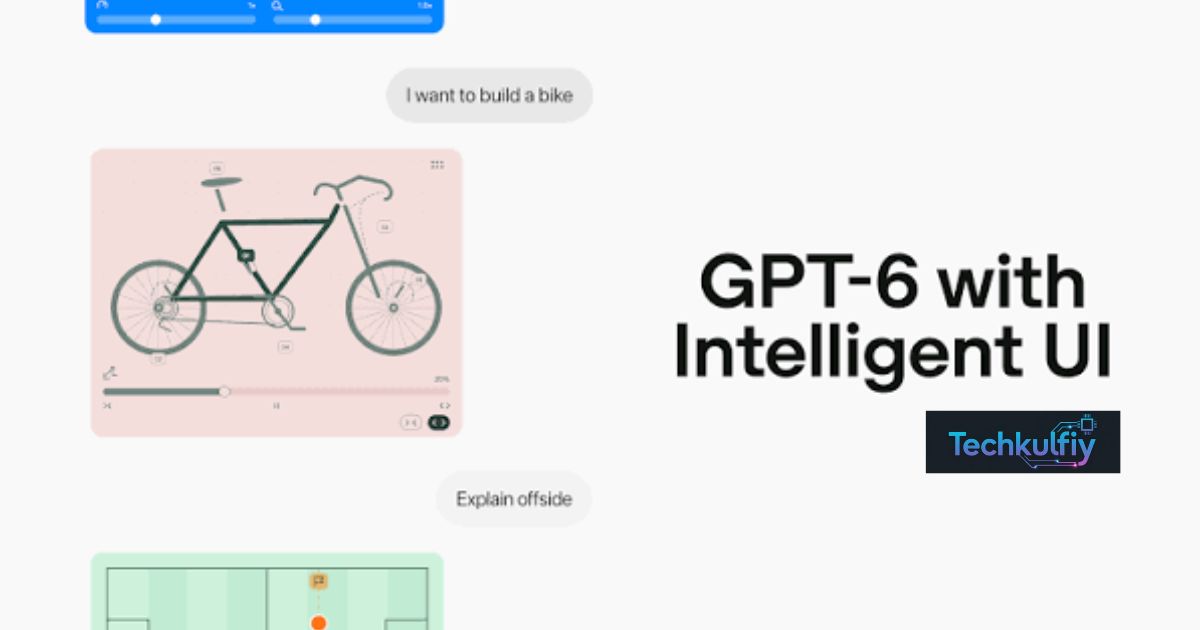
The GPT-6 Intelligent UI free rollout is changing how users interact with ChatGPT. Instead of relying only on text, the new experience can bring interactive tools, visuals, charts, and useful features into conversations. It makes advanced AI easier for everyday users.
Imagine asking an AI a question and getting more than a paragraph in return. You could receive an interactive calculator, visual comparison, or dynamic explanation designed around your request. This next-gen AI interface makes conversations feel more like using a smart application.
With more OpenAI free ChatGPT features becoming available, users have new ways to learn, plan, compare, and complete everyday tasks. GPT-6 Intelligent UI could make ChatGPT more useful for students, creators, professionals, and anyone looking for a simpler AI experience.
What Is GPT-6 Intelligent UI?
GPT-6 Intelligent UI is a new way for ChatGPT to present information and interact with users. Instead of treating every request as a simple text conversation, the system can create interactive experiences when they make sense for the task.
This can include charts, diagrams, calculators, forms, buttons, comparisons, and other visual components. The goal is to make information easier to understand and tasks easier to complete.
For example, imagine asking ChatGPT to calculate how much you need to save every month to reach a specific financial goal. A traditional chatbot might simply provide the formula and result.
With Intelligent UI, the experience can be more interactive. You may be able to change the numbers and immediately understand how different choices affect the final result.
This makes the AI user interface an important part of the answer rather than simply a container for text.
GPT-6 Intelligent UI Free Rollout
The GPT-6 Intelligent UI free rollout is designed to bring the new experience to a wider range of ChatGPT users.
Free users can access GPT-6 Luna as part of the GPT-6 experience, while higher subscription tiers have access to different GPT-6 configurations. However, free access does not mean every premium feature becomes unlimited.
Different ChatGPT plans can still have different usage limits, model access, and tool availability.
| ChatGPT Plan | GPT-6 Experience | Intelligent UI |
|---|---|---|
| Free | GPT-6 Luna | Available as rollout expands |
| Go | GPT-6 Luna | Available as rollout expands |
| Plus | GPT-6 Sol | Available |
| Pro | GPT-6 Sol | Available in supported modes |
| Business | GPT-6 Sol | Available |
| Enterprise | GPT-6 Sol | Depends on workspace settings |
The important point is that Intelligent UI is not simply being positioned as a premium-only feature.
For free users, this means ChatGPT can become more useful without requiring a subscription for every new interface capability.
How Does Intelligent UI Work?
The main idea behind Intelligent UI is simple: the interface adapts to the task.
When a user asks a straightforward question, ChatGPT can respond with straightforward text.
When the question would benefit from a visual explanation, the system can use a different format.
Suppose you ask, “Compare two smartphones.”
A traditional response might provide several paragraphs explaining the differences.
An adaptive AI interface can instead organize the specifications into a comparison table. Important differences can become easier to identify because the information is presented side by side.
The same principle applies to calculations, learning, planning, and other tasks.
The user doesn’t always have to tell ChatGPT exactly which interface elements to create. The system can determine what presentation is appropriate.
That is what makes Intelligent UI different from a fixed chatbot interface.
Why Is the Next-Gen AI Interface Important?
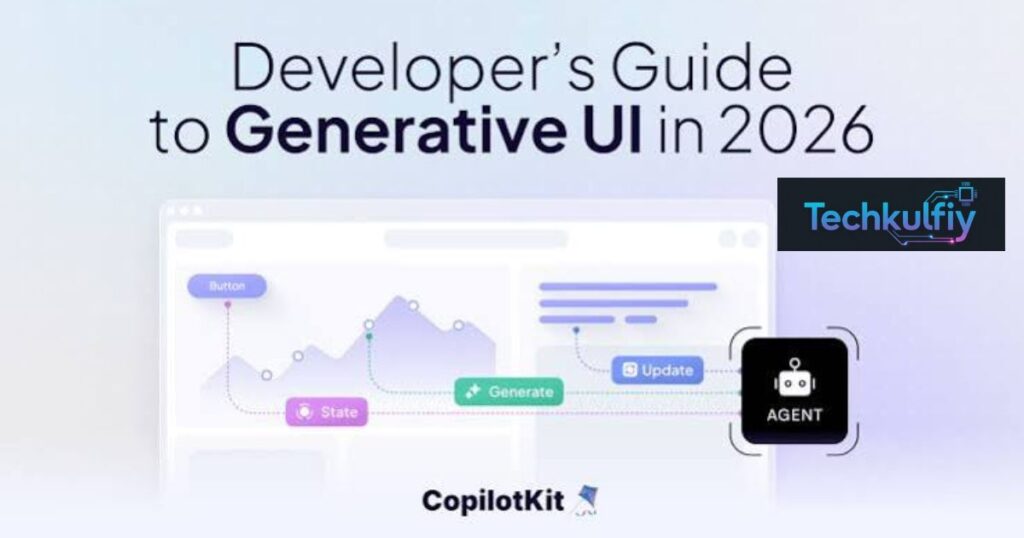
The next-gen AI interface is important because software has traditionally required people to learn how to use it.
Think about a budgeting application.
You normally need to download or open the app, locate the correct feature, enter information, understand the controls, and then interpret the result.
With an AI-powered interface, you can describe what you want to accomplish in natural language.
You could say that you want to compare your monthly expenses, calculate savings, or organize a budget.
The AI can then help create an experience around that request.
This doesn’t mean traditional software will disappear. Instead, AI can become an additional layer that makes software easier to access.
Users may not need to know exactly which tool they need.
They simply need to explain the task.
What Can GPT-6 Intelligent UI Do?
GPT-6 Intelligent UI can support different types of interactive AI experiences.
One of the most useful examples is calculations.
Instead of giving users a single number, an interactive calculator can allow them to change the inputs.
The same idea can work with data visualization.
If you’re working with numbers, a chart can sometimes communicate the information more clearly than several paragraphs.
Diagrams can also help explain technical or educational topics.
For example, a student studying a complicated scientific process may understand it more easily when the process is presented visually.
Users can also benefit from interactive comparisons, forms, and other components.
The important thing is that these features aren’t intended to appear in every response.
A simple question should remain simple.
OpenAI Free ChatGPT Features Are Expanding
The growth of OpenAI free ChatGPT features is particularly important for people who don’t want to pay for an AI subscription.
Students, freelancers, creators, and casual users often need AI for small tasks rather than professional workloads.
They may want to summarize information, calculate something, understand a difficult concept, organize ideas, or compare different options.
A more interactive ChatGPT can make those tasks easier.
For example, a student could ask for an interactive explanation of a mathematical formula.
A freelancer could create a simple pricing calculator.
A creator could organize content ideas.
A small business owner could compare monthly expenses.
These examples show why the free rollout could matter beyond simply giving users access to another AI model.
The interface itself becomes more useful.
GPT-6 Luna for Free Users
GPT-6 Luna is associated with the free ChatGPT experience in the GPT-6 rollout.
This is important because users may see different GPT-6 options depending on their ChatGPT subscription.
Free users shouldn’t assume they receive every capability available to Pro or other premium users.
Instead, they receive the GPT-6 experience designed for their plan, along with the Intelligent UI features available to them.
This creates a more accessible entry point into advanced AI technology.
Someone who has never paid for an AI service can still experience a more modern way of interacting with artificial intelligence.
That can make AI more approachable for people who previously found advanced tools complicated.
Intelligent UI for Students
Education could become one of the strongest use cases for the next-gen AI interface.
Text is useful, but some subjects are much easier to understand visually.
Consider mathematics.
A student can read an explanation of a graph, but interacting with that graph can make the concept clearer.
The same is true for physics.
A visual demonstration of motion, force, or energy can be easier to understand than a paragraph describing the same concept.
Biology can also benefit from interactive diagrams.
Students can ask questions and explore information in a conversational environment rather than switching between several educational websites.
However, students should still verify important information.
An interactive presentation can look convincing even when the underlying AI response contains an error.
The interface improves usability, but users still need critical thinking.
Intelligent UI for Content Creators
Content creators can also benefit from the new system.
Imagine a blogger planning a month’s worth of content.
Instead of receiving a plain list, the creator could ask for an organized content calendar.
A creator could also ask ChatGPT to compare article ideas, organize keywords, or calculate publishing schedules.
For social media creators, an interactive planning tool could make it easier to manage content.
The biggest advantage is speed.
Creators don’t always need a full software application for a small task.
They may simply need a temporary tool that solves one specific problem.
AI-generated interfaces can potentially fill that gap.
Intelligent UI for Businesses
Small businesses often use spreadsheets and different online tools for everyday calculations.
For example, a business owner may need to calculate:
profit margins, monthly expenses, pricing, sales targets, or inventory requirements.
An AI-powered interface can make these calculations easier to explore.
Instead of asking for one answer, the business owner can change the inputs and see how different scenarios affect the result.
This is especially useful for what-if analysis.
For example:
“What happens to my monthly profit if I increase the price by 10%?”
An interactive experience can make the answer easier to understand.
However, businesses should still verify important financial information before making decisions.
AI should support decision-making rather than replace professional financial advice.
GPT-6 Intelligent UI vs Traditional ChatGPT
The biggest difference between traditional ChatGPT and Intelligent UI is the way information is presented.
Traditional ChatGPT focuses primarily on conversation.
You ask a question, and the model responds with text.
The new approach adds another layer.
The model can determine whether the task would benefit from an interactive component.
| Feature | Traditional ChatGPT | GPT-6 Intelligent UI |
|---|---|---|
| Text answers | Yes | Yes |
| Visual explanations | Limited | More integrated |
| Interactive charts | Limited | Supported |
| Calculators | Usually separate | Can be integrated |
| Forms | Limited | Supported |
| Buttons | Limited | Supported |
| Diagrams | Available in selected workflows | More interactive |
| Adaptive interface | Limited | Core feature |
| Free availability | Depends on existing features | Expanding to Free and Go |
The important point is that Intelligent UI doesn’t replace text.
It expands what a ChatGPT response can become.
Why Visual AI Answers Matter
People don’t always process information best through paragraphs.
A visual AI interface can make relationships easier to understand.
For example, imagine comparing three laptops.
Reading three long descriptions can become confusing.
A visual comparison can place the specifications next to each other.
You can quickly see differences in memory, storage, display, battery, and price.
The same principle applies to data.
A chart can reveal a trend that might be difficult to notice in a list of numbers.
This is why data visualization is becoming an important part of AI interfaces.
AI isn’t only generating information.
It is also deciding how that information can be communicated effectively.
Interactive Tools Without Coding
One of the most exciting possibilities is creating small tools without traditional programming.
A user doesn’t necessarily need to know JavaScript, Python, or another programming language to request a simple interactive experience.
For example:
“Create a calculator that shows how much I need to save every month to reach $10,000.”
Or:
“Create a simple quiz to help me study these vocabulary words.”
Or:
“Create a comparison tool for these three products.”
The user focuses on the goal instead of the underlying code.
This is an example of no-code AI development.
It can help non-technical users experiment with software ideas that previously required programming knowledge.
Professional developers still have an important role, especially for complex applications.
But small experiments can become much easier.
Does Intelligent UI Replace Apps?
No.
It would be incorrect to assume that Intelligent UI will immediately replace traditional applications.
Professional applications offer features that require databases, authentication, advanced security, integrations, persistent data, and specialized functionality.
An AI-generated tool may be perfect for a quick personal calculation but not necessarily suitable for managing a company’s financial system.
Instead, Intelligent UI can complement existing software.
It gives users a faster way to complete small tasks and explore ideas.
Over time, however, AI may change how people discover and use software.
Instead of searching an app store for a tool, people may increasingly ask AI to create or provide the experience they need.
Faster AI Interaction
Another important part of the GPT-6 experience is responsiveness.
AI users don’t want to wait unnecessarily for simple tasks.
GPT-6 is designed to make conversations feel more responsive by allowing answers to begin while additional processing or tool use continues.
This can be especially useful for complicated questions.
For example, if a request requires multiple steps, the user can start seeing useful information while the system continues working.
This creates a more natural real-time AI experience.
Faster responses aren’t just about saving seconds.
They can make users more willing to interact with AI repeatedly because the conversation feels less interrupted.
Can Free Users Access Every GPT-6 Feature?
No.
This is one of the most important points to understand.
The phrase GPT-6 Intelligent UI free doesn’t mean that every GPT-6 capability is completely unlimited.
ChatGPT plans still have different usage limits, model access, and tool availability.
The free tier provides access to GPT-6 Luna and the Intelligent UI experience available for that plan.
Premium users can receive additional capabilities and higher limits.
Therefore, users should check what is available on their specific account rather than assuming that every feature works identically across all plans.
How to Get the New Intelligent UI
Users generally don’t need complicated technical knowledge to use Intelligent UI.
The easiest approach is simply to use ChatGPT normally.
Ask for the task you want to complete.
If an interactive interface would make the answer more useful, GPT-6 can determine the appropriate format.
You can also be more specific.
Instead of saying:
“Calculate my savings.”
You can say:
“Create an interactive savings calculator where I can change the monthly amount and interest rate.”
This gives the AI a clearer understanding of the experience you want.
You don’t need to understand how the interface is built.
You only need to explain what you want to accomplish.
Can You Turn Off Visual Elements?
Some users prefer traditional text-based answers.
Not everyone wants buttons, charts, or interactive elements.
For users who prefer a simpler experience, ChatGPT provides settings that can reduce visual elements.
This is useful because an advanced interface isn’t automatically better for every situation.
If you ask:
“What is 15 multiplied by 20?”
A complicated interactive interface would probably be unnecessary.
A simple answer is better.
The goal of Intelligent UI is therefore not to make every response visually complicated.
The goal is to choose the right format for the task.
Limitations of GPT-6 Intelligent UI
The new system still has limitations.
First, AI-generated information can contain mistakes.
Second, an interactive component can make incorrect information look more trustworthy than it actually is.
Third, not every request requires an interactive interface.
Fourth, availability can differ depending on the user’s account and plan.
Users should also remember that AI isn’t a replacement for professional advice in areas such as medicine, law, or important financial decisions.
The best approach is to use Intelligent UI as a productivity assistant rather than assuming it is always correct.
The Future of the Next-Gen AI Interface
The next-gen AI interface could become one of the biggest developments in consumer software.
For decades, software has been designed around fixed menus and screens.
Users learn the software.
AI introduces another possibility.
The software can adapt to the user.
You explain what you want to do, and the system creates an experience around the task.
This could eventually influence education, business software, productivity tools, shopping, travel planning, and personal organization.
The long-term goal isn’t simply to make ChatGPT prettier.
It is to make computing more natural.
Instead of thinking about which application to open, users can think about what they want to accomplish.
What GPT-6 Intelligent UI Means for Everyone
The biggest benefit of this rollout is accessibility.
AI is becoming easier for ordinary people to use.
You don’t need to understand programming to request a calculator.
You don’t need to understand data visualization to ask for a chart.
You don’t need to know interface design to request a simple interactive tool.
This is where the AI democratization aspect becomes important.
The technology can potentially give more people access to capabilities that previously required specialized software or technical skills.
For students, this can mean easier learning.
For creators, faster experimentation.
For businesses, simpler workflows.
For everyday users, greater convenience.
FAQs
Is GPT-6 Intelligent UI free?
The Intelligent UI experience is expanding to Free and Go users. Free users receive GPT-6 Luna as part of the GPT-6 rollout. However, free accounts still have plan-specific usage limits.
What is GPT-6 Intelligent UI?
GPT-6 Intelligent UI is a system that allows ChatGPT to use different formats such as interactive tools, charts, diagrams, forms, buttons, and visual elements instead of relying only on traditional text.
What is GPT-6 Luna?
GPT-6 Luna is the GPT-6 experience available to Free and Go users. Higher ChatGPT plans receive GPT-6 Sol in supported Chat experiences.
What are OpenAI free ChatGPT features?
The OpenAI free ChatGPT features available through GPT-6 can include advanced conversational capabilities and Intelligent UI experiences, depending on the user’s plan and available limits.
What is a next-gen AI interface?
A next-gen AI interface is an adaptive interface that can change how information and tools are presented based on what the user is trying to accomplish.
Can GPT-6 create interactive tools?
Yes. GPT-6 Intelligent UI can support experiences such as calculators, games, diagrams, comparisons, and other interactive components.
Do I need coding skills to use Intelligent UI?
No. Users can describe what they want in natural language. GPT-6 can determine how to present the requested experience.
Does Intelligent UI replace traditional software?
Not completely. It can make small tasks easier, but professional applications still provide specialized functionality, security, databases, integrations, and other advanced features.
Can I use Intelligent UI for learning?
Yes. Students can use interactive explanations, diagrams, comparisons, and other visual experiences to explore complicated topics.
Are GPT-6 answers always accurate?
No. AI can make mistakes. Important information should always be verified, especially for financial, medical, legal, or other high-stakes decisions.
Conclusion
OpenAI’s GPT-6 Intelligent UI represents a major change in the way people can interact with AI. Instead of limiting responses to traditional text, ChatGPT can combine information with interactive elements, visuals, charts, diagrams, and useful tools.
The GPT-6 Intelligent UI free rollout is particularly important because it brings this new style of interaction to Free and Go users through GPT-6 Luna. While free users still have usage limits, they can experience a more advanced form of AI interaction without automatically paying for a premium plan.
The growth of OpenAI free ChatGPT features also shows that AI competition is no longer only about which model produces the smartest answer. The interface, speed, usability, and overall experience are becoming just as important.
Ultimately, the next-gen AI interface could change how people use software. Instead of learning dozens of applications, users may increasingly explain what they want to accomplish and let AI build the right experience around the task. That makes GPT-6 Intelligent UI more than a visual upgrade—it points toward a future where AI becomes a more natural way to interact with technology.

About the Author
The author at TechKulfiy writes informative articles about technology, software, digital platforms, and IT solutions. The goal is to make complex topics easier to understand by providing clear explanations, practical insights, and helpful information. Each article aims to help readers explore technology topics and make informed decisions.