

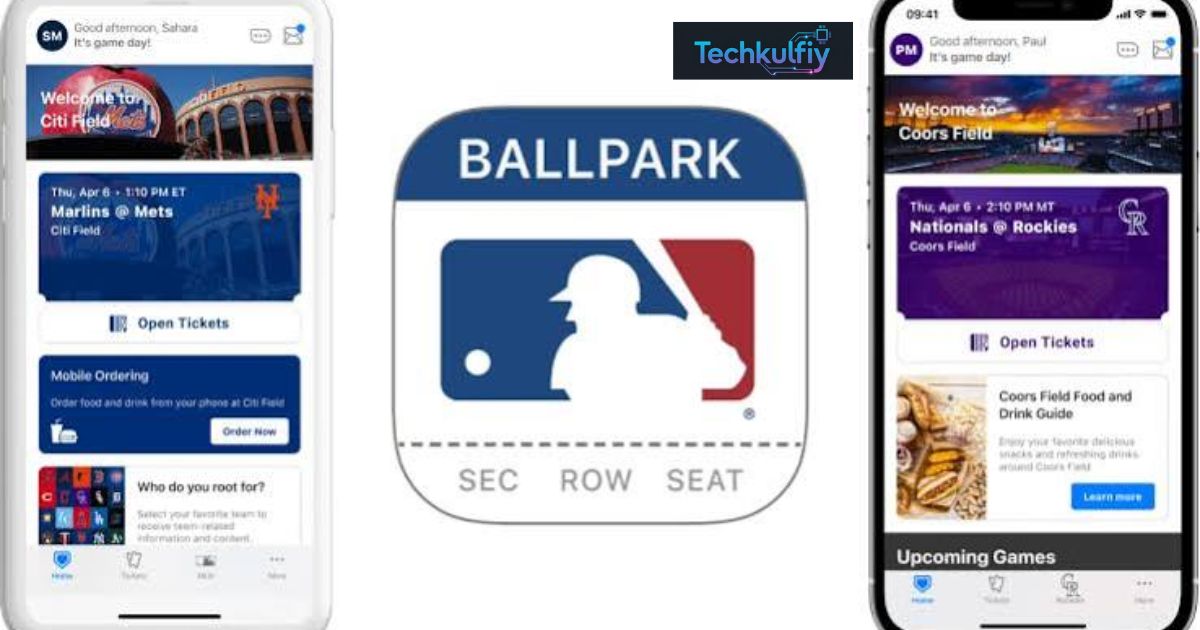
The MLB Ballpark app helps baseball fans manage their game-day experience, access digital tickets, explore stadium information, and stay connected with their favorite Major League Baseball teams. For fans across the United States, a reliable mobile app can make attending a live game easier and more enjoyable.
Baseball games involve more than watching nine innings. Fans may need to find their seats, check stadium rules, locate concessions, review schedules, and manage tickets before reaching the ballpark. A well-designed mobile experience can help organize these activities in one place.
Foldable smartphones could introduce new ways to use sports apps by providing larger screens without requiring a full-size tablet. However, compatibility and special features depend on the device, operating system, and app version. Here is what fans should know about the MLB Ballpark app and its potential benefits on larger mobile displays.
What Is the MLB Ballpark App?
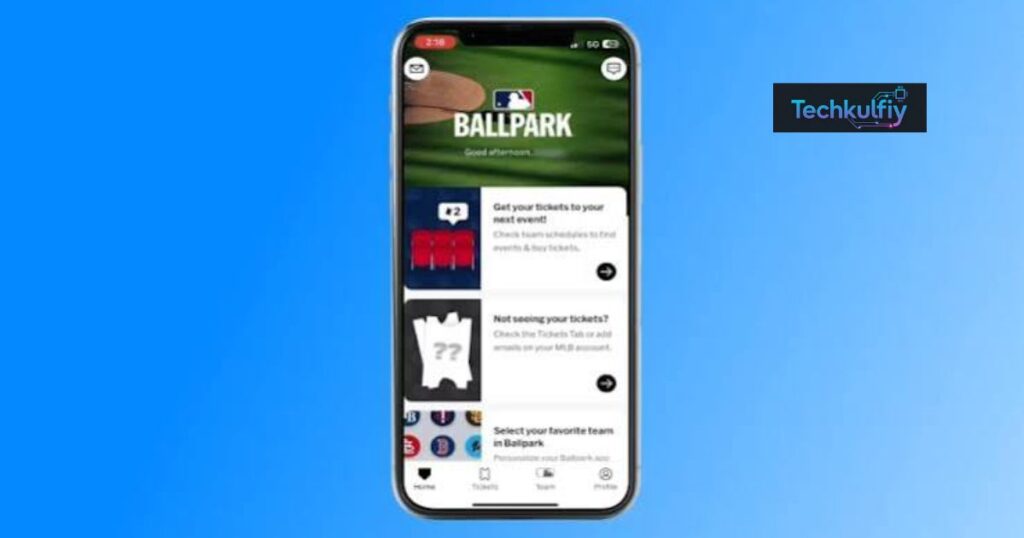
The MLB Ballpark app is an official mobile companion for Major League Baseball fans. It is designed to support the experience of attending games, particularly when fans need to access tickets and information related to a stadium visit.
Instead of relying entirely on printed tickets or searching through multiple websites, eligible users can use their phones to manage important parts of their game-day plans. Available features may vary depending on the team’s ticketing system, stadium, account, and current app version.
For American baseball fans, convenience matters because stadium visits can involve busy entrances, large crowds, parking decisions, and unfamiliar seating sections. Having relevant information available on a phone can reduce unnecessary stress.
The app is most useful when fans prepare before leaving home. Checking ticket access, reviewing the game details, and confirming account information ahead of time can make entry smoother.
It is important to understand that a mobile app cannot guarantee faster stadium entry or access to every service. Users should follow the instructions provided by their team and stadium.
Main Features Baseball Fans Should Understand
The MLB Ballpark app can support several parts of the live baseball experience, although the exact options depend on the user’s team and event.
Digital ticket management is one of its central uses. Eligible tickets may be available through a connected account, allowing fans to retrieve their entry credentials on a compatible phone. Fans should confirm that their tickets appear correctly before traveling.
Game information is another useful part of the experience. Depending on availability, fans may find details about a scheduled game, the venue, or information associated with their visit. Checking the correct event is especially important when attending a series with multiple games.
Stadium information can also help visitors prepare. Venue policies, entry instructions, and other event details may be available through official team resources or linked information. Fans should always check the relevant stadium’s current rules rather than assume every ballpark follows the same policy.
Some teams offer additional digital experiences or services connected with attending a game. Availability differs, so users should not expect every feature to work identically across all MLB venues.
| Feature area | Why it matters | What users should check |
|---|---|---|
| Digital tickets | Helps organize entry credentials | Confirm tickets are visible and valid |
| Game information | Helps users prepare for the event | Verify the date, time, and stadium |
| Stadium details | Makes navigating a visit easier | Review official venue policies |
| Account access | Connects users with relevant ticket information | Confirm login details before game day |
| Mobile compatibility | Affects how the app displays and operates | Check device and operating-system support |
How the App Can Improve Game-Day Planning
A baseball outing often starts hours before the first pitch. Fans may need to coordinate transportation, meet friends, find parking, and arrive early enough to avoid long lines. The MLB Ballpark app can be one part of a practical preparation routine.
Start by checking your tickets well before departure. If you purchased tickets through a team or an authorized seller, follow the instructions provided for accessing them. If something appears incorrect, contact the appropriate ticketing support team before reaching the stadium.
Next, review the details of your game. Make sure you have selected the correct date and venue, especially if your team is playing a series at home. A small scheduling mistake can cause major problems when travel is involved.
Keep your phone charged, too. Digital tickets are only useful if you can access them when needed. Bringing a portable charger may be sensible for long games, particularly if you plan to take photos, use navigation, or communicate with friends.
You should also consider mobile connectivity. Stadium networks can become busy when thousands of spectators arrive at the same time. Where permitted, prepare important information in advance and follow official instructions for ticket access.
Why a Larger Foldable Phone Screen Could Help
Foldable smartphones combine a compact closed design with a larger display when opened. This design may be useful for people who want more screen space without carrying a separate tablet.
For example, a larger screen could make schedules, ticket details, maps, and other information easier to view. A fan might also find it more comfortable to read small text or compare several pieces of information on one display.
However, the benefits depend on how an app responds to the expanded screen. A larger display does not automatically mean the interface will show additional information or use a special layout.
The MLB Ballpark app may run on a supported foldable phone if the device meets the app’s requirements, but the exact appearance and behavior depend on compatibility and software design. Fans should not assume that a particular foldable model has received dedicated optimization unless the developer confirms it.
Foldable phones also differ in their screen dimensions, aspect ratios, and software behavior. An interface that looks comfortable on one model may appear differently on another.
Understanding Foldable App Optimization
App optimization means adjusting an application’s interface and behavior so it works well on different screen sizes and device configurations. On a foldable phone, developers may need to consider both the smaller outer display and the larger inner display.
A responsive layout can adapt to available space. For instance, buttons may remain accessible, text may wrap naturally, and information may use the screen without becoming stretched or difficult to read.
Some apps can benefit from multi-column layouts on larger screens. Others may simply enlarge existing content. The better approach depends on the tasks users need to complete.
For a sports companion, useful design priorities could include readable ticket information, clear navigation, appropriately sized controls, and consistent behavior when the phone is folded or unfolded.
These are general design possibilities, not confirmation that the MLB Ballpark app currently provides each feature on a specific foldable phone.
Users should install the official app from a trusted app store and check the listing for compatibility information. If a layout looks unusual, updating the app and operating system may help, although updates cannot guarantee a specific foldable-screen experience.
Potential Benefits for Baseball Fans in the United States
American baseball fans travel to stadiums for regular-season games, postseason matchups, special events, and family outings. Digital tools can make some of these plans easier to manage.
One benefit is having ticket information available on a mobile device. This can reduce dependence on paper documents, provided the ticket is supported digitally and the phone is ready for entry.
Another benefit is preparation. Checking the venue and game details before departure can help fans arrive at the correct location and understand the entry process.
A larger display may offer additional comfort for users who prefer bigger text or have difficulty viewing small interface elements. Still, accessibility depends on the app’s design and the phone’s available settings.
The MLB Ballpark app should be viewed as a supporting tool rather than a replacement for official stadium instructions. Weather conditions, security rules, parking restrictions, and event procedures can change, so fans should verify relevant details before leaving home.
How to Prepare Your Phone Before Visiting a Ballpark
Good preparation can prevent common problems at the stadium entrance. First, install the app from an official source and sign in using the appropriate account. Avoid downloading unofficial copies that claim to offer special ticket features.
Open your ticket information before the trip. Confirm that the tickets belong to the correct event and that any required transfer or acceptance process has been completed. If tickets were sent to you by another person, follow the official instructions for receiving them.
Keep your device’s battery charged. If you expect to spend most of the day at the stadium, consider a portable charger and charging cable. Do not wait until you reach the gate to discover that your phone has almost no power.
Check your internet connection and app updates in advance. Some functions may require connectivity, and a successful login at home does not guarantee that every service will work identically inside a crowded venue.
Finally, review the stadium’s official entry requirements. Rules about bags, outside food, permitted devices, and other items can vary between venues.
MLB Ballpark App Compared With General Sports Apps
A dedicated baseball companion and a general sports app serve different purposes. General sports apps often focus on scores, news, statistics, standings, and updates across multiple leagues. A team or stadium companion may place more emphasis on attending a game and accessing event-related information.
The right choice depends on your goal. If you mainly want to follow scores while away from a stadium, a general sports app may suit your needs. If you are preparing to attend a game, the official tools recommended by your team are especially important.
| Need | Dedicated ballpark companion | General sports app |
|---|---|---|
| Access supported digital tickets | May be available for eligible events | Usually not its primary purpose |
| Follow scores and news | May offer selected information | Often a central feature |
| Prepare for a stadium visit | A key use case | May provide limited venue details |
| Manage team-related event information | Depends on team support | Depends on the app |
| Use on a foldable display | Depends on compatibility | Depends on compatibility |
No single app is best for every baseball fan. Many people use more than one tool, such as a ticketing app for entry and a separate service for live scores.
Common Problems and How to Address Them
Users may occasionally have trouble signing in, finding tickets, loading information, or viewing an interface correctly. The best solution depends on the specific problem.
If you cannot access your account, check that you are using the correct login details. Make sure your internet connection is working and install available updates from the official app store. If the issue continues, use the official support channel associated with your account or team.
If tickets are missing, verify that you are signed into the account connected with the purchase. Check your purchase confirmation and follow the ticket provider’s instructions. Do not assume that reinstalling an app will resolve an issue related to ticket ownership or account transfers.
If the interface looks different on a foldable phone, check whether the app and operating system are current. You can also review your phone’s display settings, but avoid changing security or accessibility settings without understanding their effects.
The MLB Ballpark app cannot fix every ticketing, network, or stadium problem. For urgent entry issues, contact official stadium staff or ticket support rather than relying solely on general troubleshooting advice.
Privacy and Account Security Considerations
Ticketing apps can involve account information and details about purchases or events. Users should take ordinary precautions to protect access to their accounts.
Use a strong, unique password where a password is required. Do not share login credentials with strangers, and be cautious about messages asking you to confirm tickets through unfamiliar websites.
Download the MLB Ballpark app only from an official app marketplace or a source identified by MLB. Be careful with third-party pages that promise free tickets, special access, or unofficial modifications.
Before granting permissions, consider whether they are necessary for the feature you want to use. Review the app’s privacy information and your device settings to understand what data may be collected or shared.
If you receive a ticket transfer, verify that it comes through the expected official process. Never send payment or personal information to someone simply because they claim they can unlock a hidden feature.
Who Should Use the MLB Ballpark App?
The MLB Ballpark app is most relevant to people attending MLB games who need a supported way to access digital tickets or event-related information. Season-ticket holders, occasional visitors, families, and groups of friends may all find it useful when their team supports the relevant features.
It can also be useful for people who prefer organizing game-day details on their phones. Checking information in advance can reduce last-minute confusion and help a group coordinate its plans.
Foldable-phone owners may appreciate the extra screen space, particularly if they prefer larger text or a more spacious display. However, they should verify compatibility rather than purchase a device solely because they expect a particular app to use its full screen.
Fans who primarily watch games at home or follow baseball news may not need a stadium-focused companion for everyday use. Their preferred sports news or streaming services may be more relevant to their routine.
Frequently Asked Questions
What is the MLB Ballpark app used for?
It is an official mobile companion for MLB fans, with supported features that may include digital ticket access and game-day information. Availability varies by team, venue, account, and app version.
Can I use the MLB Ballpark app on a foldable phone?
Possibly, if your device and operating system meet the app’s requirements. Check the official app listing and device compatibility information before relying on it for a game.
Does a larger foldable screen guarantee a better experience?
No. A larger display can make information easier to view, but the actual experience depends on how the app handles different screen sizes.
Can I use the app without an internet connection?
Do not assume that all features will work offline. Some functions may require connectivity, so prepare your tickets and review official entry instructions before leaving home.
What should I do if my tickets are missing?
Confirm that you are using the correct account, check the purchase or transfer confirmation, and contact the official ticket provider if the issue remains unresolved.
Is the MLB Ballpark app the same as a live-score app?
Not exactly. A ballpark companion focuses on supported game-day and ticketing tasks, while many general sports apps focus on scores, statistics, and news.
Should I buy a foldable phone just for baseball apps?
That depends on your broader needs and budget. Consider durability, battery life, software support, screen size, and the apps you use most often before buying a foldable device.
Conclusion
The MLB Ballpark app can help baseball fans organize important parts of a stadium visit, particularly when digital tickets and supported game-day information are available. Preparing your account, checking tickets early, charging your phone, and reviewing stadium rules can make attending a game less stressful.
Foldable smartphones introduce an interesting possibility by offering a larger display in a portable design. That extra space may improve readability and comfort, but it does not automatically provide special app features or guarantee an optimized layout.
Before relying on any mobile tool, verify its current compatibility and follow the official instructions provided by MLB, your team, and the stadium. The best game-day experience comes from combining useful technology with careful preparation. Whether you use a traditional smartphone or a foldable model, having your tickets ready and knowing the venue’s requirements can help you focus on enjoying the game.

About the Author
The author at TechKulfiy writes informative articles about technology, software, digital platforms, and IT solutions. The goal is to make complex topics easier to understand by providing clear explanations, practical insights, and helpful information. Each article aims to help readers explore technology topics and make informed decisions.