

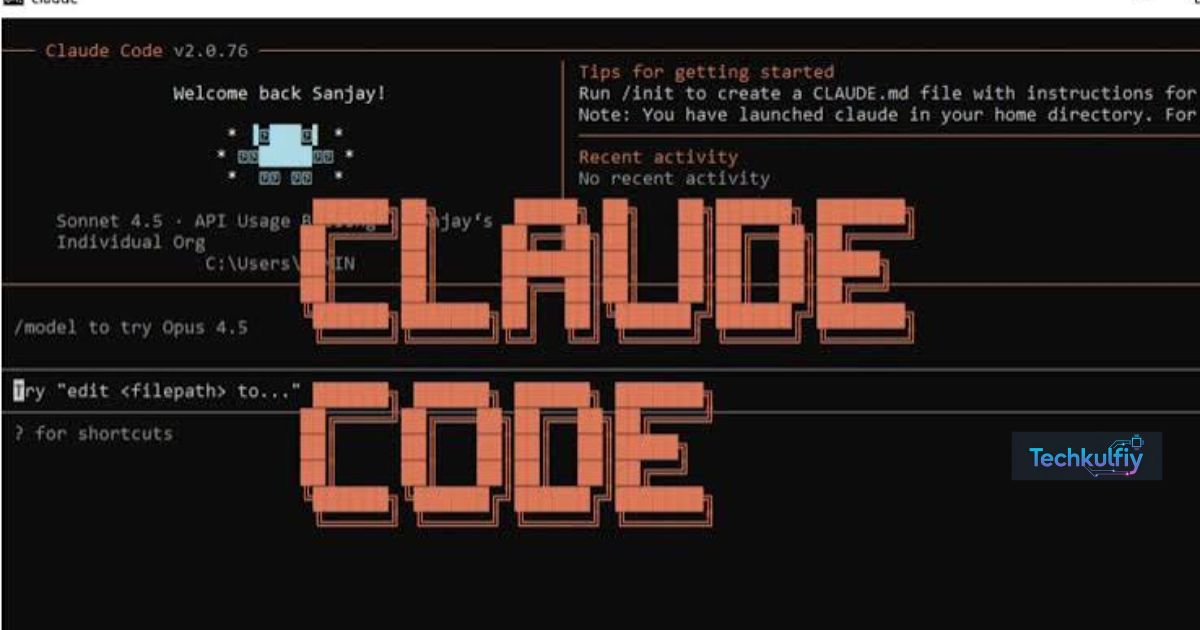
Lcc Claude Code Tool is an open-source utility designed to help developers manage lengthy Claude Code conversations by compacting or compressing session history. Its purpose is to make long coding workflows easier to maintain when an AI coding assistant accumulates large amounts of conversation context.
Developers often spend hours debugging errors, modifying files, reviewing code, and discussing implementation choices with an AI assistant. As a session grows, earlier instructions and technical details can consume valuable context, making efficient session management increasingly important.
This guide explains the reported purpose of Lcc Claude Code Tool, how conversation compaction works, why context limits matter, and how developers can evaluate session-management utilities for more reliable AI-assisted programming.
What Is Lcc Claude Code Tool?
The Lcc Claude Code Tool is an open-source utility described as a way to compact Claude Code session history without unnecessarily losing important information. It is intended for developers who use AI-assisted programming for extended tasks and want to preserve useful context while reducing the amount of conversation history that needs to be retained.
Claude Code is an AI coding tool that can help developers understand codebases, edit files, investigate bugs, and work through programming tasks. During a long session, the conversation may include initial requirements, terminal output, code snippets, failed approaches, revised instructions, and explanations of previous decisions.
All this information can be useful, but retaining every detail indefinitely can become inefficient. Large conversation histories may contribute to context-window pressure, increase the amount of information an AI system must process, and make it harder to maintain a concise view of the current task.
This is where Lcc Claude Code Tool is intended to help. Rather than treating every message as equally important, a session-compaction workflow aims to reduce repetitive or less relevant material while preserving the details needed to continue development.
For example, imagine a developer is building a web application and has spent three hours fixing an authentication bug. The conversation includes several unsuccessful debugging attempts, repeated explanations of the same error, and the final working solution. The next task is to improve session security.
Keeping every intermediate message may be unnecessary if the final solution, relevant files, constraints, and unresolved issues can be summarized accurately.
A compaction utility can help produce a smaller representation of that history. The developer can then continue working with a more focused context.
The important distinction is that conversation compaction is not simply deleting old messages. Effective compaction preserves essential information while reducing unnecessary detail. If critical requirements or technical decisions disappear, the resulting summary can make future coding less reliable.
The value of Lcc therefore depends on how well it preserves the information that matters to the ongoing task.
Why Claude Code Developers Need Session Compaction
AI coding assistants are particularly useful for tasks that require repeated interaction. Developers may ask an assistant to inspect a project, suggest changes, explain errors, modify code, and verify that the changes work.
These interactions can produce lengthy conversations. A single debugging session may include stack traces, test results, file contents, environment details, and multiple proposed solutions.
Over time, the conversation can become much larger than the original problem.
The Challenge of Long Conversation Histories
A coding session often contains both essential and temporary information. Essential information includes project architecture, important constraints, dependencies, security requirements, and decisions that must remain consistent. Temporary information includes repeated explanations, outdated hypotheses, and failed experiments that no longer influence the current solution.
When both types of information accumulate, the assistant may have to work with a large amount of context to answer a relatively simple question.
A session-management utility such as Lcc Claude Code Tool is intended to address this problem by reducing the history to a more manageable form.
Consider a developer working on a payment-processing application. The conversation may contain dozens of messages about an incorrect database query. Once the cause is identified, a concise record of the issue, fix, affected files, and test results may be more useful than preserving every debugging exchange in the active context.
However, not every failed attempt should automatically be discarded. A previous approach may contain an important warning about a security issue or a technical limitation. Good compaction must distinguish between unnecessary repetition and information that could prevent the same mistake from happening again.
Understanding Context Windows
A context window is the amount of information an AI model can process within a particular interaction. Depending on the system, it may include user instructions, conversation history, code, tool outputs, and other relevant material.
A larger context window can accommodate more information, but it does not eliminate the need for good information management.
A project can contain thousands of lines of code, long terminal logs, documentation, and multiple discussions. Even when a model supports a large context window, supplying unnecessary information may make the workflow less efficient.
Lcc Claude Code Tool focuses on the session-history side of this challenge. By reducing the conversation’s size, a suitable compaction workflow may help developers preserve space for current requirements, relevant code, and new debugging information.
It is important to understand that reducing session history does not automatically increase the model’s official context-window limit. It simply aims to use the available context more efficiently.
Maintaining Continuity Across Coding Tasks
Developers often move from one task to another without abandoning the project. They may fix a bug, add a feature, update tests, and then review a security concern.
The challenge is maintaining continuity between these activities.
If earlier context becomes too large or difficult to manage, developers may need to repeat instructions or reconstruct previous decisions. This wastes time and can introduce inconsistencies.
A well-prepared compact session summary can preserve the project’s current state. It might identify the branch being worked on, the files changed, the tests completed, the remaining problems, and the next action.
This is one of the main reasons Claude Code session management matters for developers who rely on AI assistants for complex programming work.
How Lcc Claude Code Tool Compaction Works
As per Lcc Claude Code Tool The general purpose of session compaction is straightforward: reduce the amount of historical information while preserving the details required for future work.
The exact implementation depends on the utility. Developers should inspect the actual repository, documentation, and supported commands before assuming that every session-management feature is available in Lcc.
Step 1: Identify the Existing Session
The process begins with a Claude Code conversation that contains useful development history. This could involve feature implementation, bug fixing, refactoring, or code review.
The utility needs to identify the appropriate session history before modifying or creating a compact representation of it.
Developers should verify that they are working with the intended session, especially when several projects or conversations are active.
Step 2: Examine the Conversation History
A session can contain several categories of information: original instructions, technical decisions, code snippets, tool results, error messages, and intermediate reasoning.
The objective of compaction is to distinguish information that remains relevant from details that can be summarized or omitted.
For example, ten repeated messages describing the same failed test may be replaceable with a short record of the error, its cause, and the final resolution.
However, a warning that a proposed fix breaks backward compatibility may remain important even if it appeared much earlier in the conversation.
Step 3: Produce a More Compact Representation
A compaction process reduces the size of the retained history or creates a concise representation of it.
A useful summary should preserve the goal, current project state, decisions, important constraints, relevant files, and unresolved issues.
The resulting information should be specific enough for the developer and the AI assistant to continue working without reconstructing the entire conversation.
The term lossless session compaction requires careful interpretation. It can mean preserving the original session data while creating a smaller working representation, but it should not automatically be interpreted as guaranteeing that every detail remains in a shortened summary.
Developers should check whether a particular utility preserves the original history, creates a separate compacted copy, or modifies the stored session.
Step 4: Continue the Coding Workflow
After the history has been compacted, the developer can continue with the current task using the retained context.
For example, the assistant may need to update a function, write a test, or investigate a new error. The compacted session should provide the information required to understand the project’s state and the constraints that must remain in place.
If an important detail is missing, the developer should retrieve it from the original history or project documentation instead of relying on an uncertain summary.
This step is important because a shorter conversation is useful only when it supports accurate continuation.
Key Benefits of Lcc Claude Code Tool
A session-compaction utility can provide several practical benefits when developers regularly work with long AI coding conversations.
Better Context Efficiency
The most direct potential benefit is reducing the amount of conversation history that must be carried forward.
A concise session can retain the most important project details while removing repeated explanations and outdated troubleshooting material. This can make it easier to focus on the current implementation task.
Context efficiency is especially relevant to developers working on complicated projects with multiple files, dependencies, and changing requirements.
Less Repetitive Explanation
Without an effective session summary, a developer may need to explain the project structure, earlier decisions, and previous fixes again when continuing work.
A compact record can preserve those details in one place.
For example, a developer could retain a note explaining that a database migration must remain backward-compatible and that a particular API endpoint cannot change its response format. This avoids repeating the same instructions throughout the project.
Improved Organization
Long coding conversations can become difficult to navigate. A useful summary makes the current project state easier to understand.
It can identify completed tasks, remaining issues, relevant files, and decisions that should not be reversed without discussion.
This organization may also help developers move between different parts of a project without losing track of their priorities.
Potentially Lower Processing Overhead
Large prompts and extensive histories can require more processing than concise, relevant context. Reducing unnecessary information may help improve workflow efficiency.
However, actual token savings depend on how the utility operates, what information it removes, and how the AI coding system handles context. Developers should not assume a specific reduction percentage without measurements.
Better Support for Extended Projects
Projects involving multiple stages can benefit from structured session summaries. A developer might work on architecture in one session, implementation in another, and testing in a later session.
A compact record can provide a consistent handoff between those stages.
For teams, the same principles can support documentation practices, although a local session-compaction utility should not be mistaken for a shared project-management or collaboration platform unless it explicitly provides those capabilities.
Lcc Claude Code Tool vs. Manual Session Summaries
Developers can manage context without specialized software. They can write notes, maintain project documentation, or ask an AI assistant to summarize a conversation.
A dedicated utility may make this process more convenient, particularly when session histories are long or frequent compaction is needed.
| Feature | Manual summary | Session-compaction utility |
|---|---|---|
| Initial setup | Usually simple | Depends on installation and configuration |
| Control over content | Direct human control | Depends on the utility’s behavior |
| Repetitive work | May require repeated effort | May streamline repeated operations |
| Preservation of original history | Depends on the developer’s workflow | Must be verified in the implementation |
| Handling technical details | Requires careful review | Depends on how context is retained |
| Best use | Short or occasional sessions | Repeated, lengthy coding sessions |
Neither approach is automatically better for every developer.
Manual summaries work well when a project has a small number of important decisions and the developer can easily identify what matters. A dedicated tool may be more useful when conversations become large, repeated compaction is inconvenient, or the developer wants a more consistent workflow.
The best approach is the one that preserves essential technical information without introducing unnecessary complexity.
How to Evaluate Lcc Before Using It
Because Lcc Claude Code Tool is described as an open-source utility, developers can evaluate its implementation and documentation before relying on it. Open-source availability can improve transparency, but it does not automatically guarantee security, correctness, or active maintenance.
Start by locating the project’s authentic source repository and reading its documentation. Confirm the supported operating systems, required runtime, installation process, and compatibility with the version of Claude Code being used.
Next, review the code that handles session history. Determine whether the utility reads existing files, writes new files, modifies original records, or deletes information. A tool that handles conversation history should be evaluated with the same care as any other utility that processes potentially sensitive development data.
Test the workflow on a disposable project or a copy of an existing session. Compare the original history with the compacted result and confirm that important requirements, decisions, error details, and unresolved issues remain available.
Finally, check the project’s maintenance activity and issue reports. A tool that works with a changing developer environment may need updates as the underlying coding assistant evolves.
These checks help distinguish a promising utility from one that is suitable for a production development workflow.
Frequently Asked Questions
What is Lcc Claude Code Tool?
Lcc Claude Code Tool is described as an open-source utility for compacting Claude Code conversation history so developers can manage long coding sessions more efficiently.
Why do Claude Code sessions become long?
Coding sessions accumulate instructions, code snippets, terminal output, debugging attempts, tool results, and implementation decisions. As this information grows, context management becomes more important.
Does session compaction increase the official context-window limit?
No. Compaction aims to reduce the amount of information that needs to be retained. It does not, by itself, change the model’s official context-window capacity.
Does compacting a session mean deleting the original conversation?
Not necessarily. That depends on the utility’s implementation. Developers should verify whether the original session is preserved, copied, or modified before using the tool on important work.
Can compaction remove important coding information?
Yes, if the process fails to preserve relevant details. Developers should review compacted results and keep critical constraints, security requirements, technical decisions, and unresolved issues.
Is Lcc Claude Code Tool open source?
It is described as an open-source utility. Before installing it, verify the authentic repository, its license, source code, and maintenance status.
Will session compaction make Claude Code faster?
It may reduce unnecessary context and processing overhead, but actual performance improvements depend on the workflow, model, session size, and implementation. A specific speed improvement should not be assumed without testing.
Can developers use manual summaries instead?
Yes. Manual summaries can be effective for smaller projects or occasional sessions. A dedicated utility may be more convenient when managing long conversations repeatedly.
Should developers use Lcc with confidential source code?
They should first review how the tool accesses and stores session history, inspect its code where practical, and follow organizational security policies. Local processing does not automatically eliminate every privacy risk.
Who is most likely to benefit from session compaction?
Developers who regularly conduct lengthy debugging sessions, work across multiple files, or use AI coding assistants for extended implementation tasks may benefit most.
Conclusion
Lcc Claude Code Tool addresses a practical challenge in AI-assisted programming: keeping lengthy coding conversations useful without allowing historical context to become unnecessarily large.
As developers work through complex projects, their sessions can accumulate code snippets, repeated explanations, failed experiments, and technical decisions. Compaction aims to reduce unnecessary material while preserving the information required to continue the work.
For developers who regularly use Claude Code, a session-management utility may improve context organization, reduce repetitive explanations, and make it easier to move between development tasks. Its usefulness depends on the quality of its compaction process and how well it preserves the details that matter.
Before adopting Lcc, developers should verify the project’s repository, documentation, compatibility, and handling of original session files. Testing the utility on a disposable session is a sensible way to understand its behavior before using it with important projects.
Most importantly, session compaction should support good engineering practices rather than replace them. Clear documentation, reliable tests, careful version control, and human review remain essential. A compact conversation is valuable only when it retains enough information to help the developer make correct decisions.
By combining thoughtful context management with disciplined software development, programmers can make AI-assisted coding workflows more organized, maintainable, and efficient.

About the Author
The author at TechKulfiy writes informative articles about technology, software, digital platforms, and IT solutions. The goal is to make complex topics easier to understand by providing clear explanations, practical insights, and helpful information. Each article aims to help readers explore technology topics and make informed decisions.