

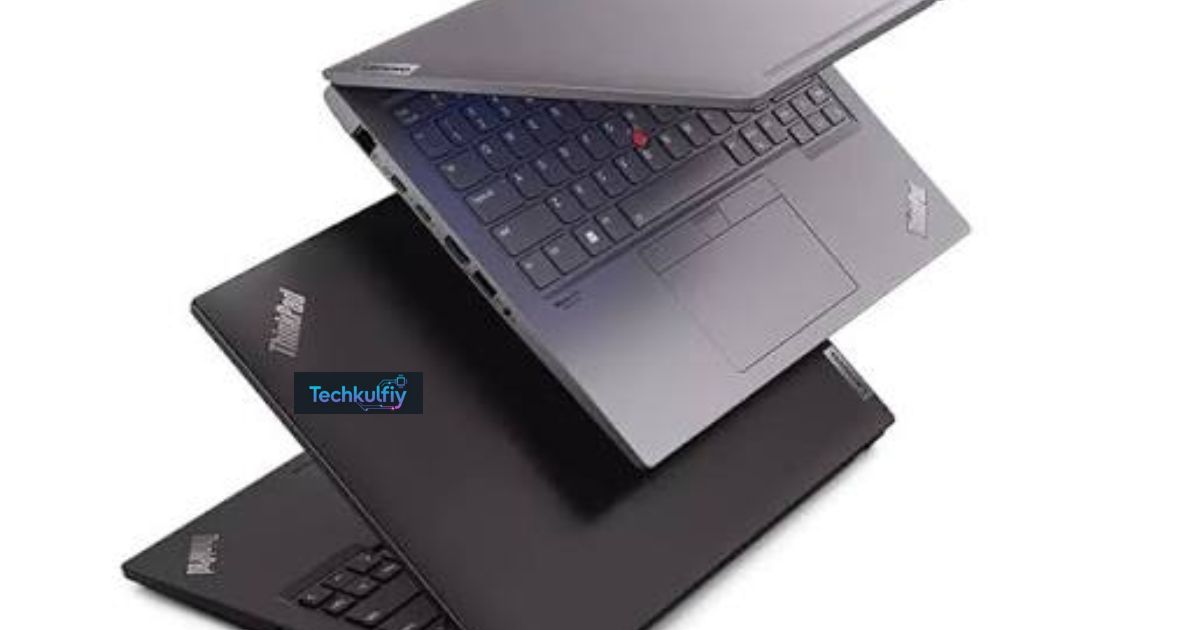
Lenovo ThinkPad is a trusted line of professional laptops. It offers strong performance and practical features. These laptops suit work, study, and daily tasks.
Looking for a laptop that works hard every day? Lenovo ThinkPad could be the right choice. Its reliable design makes it popular with professionals and students.
Lenovo ThinkPad laptops come in several models and series. They offer durable builds, comfortable keyboards, and useful security features. Some models also provide long battery life and powerful processors.
1. What Are Lenovo ThinkPad Laptops?
Lenovo ThinkPad laptops are a family of computers designed primarily for business, professional, educational, and productivity-focused users. The brand is widely recognized for its practical black design, excellent keyboard, distinctive red TrackPoint, and emphasis on reliability. Rather than chasing flashy styling, the ThinkPad philosophy focuses on useful engineering. You get a machine designed to become part of your daily workflow instead of simply sitting pretty on a desk.
The Lenovo ThinkPad series includes several families with different goals. Some prioritize portability while others emphasize performance, flexibility, affordability, or workstation-class computing. That range makes ThinkPad laptops suitable for many users. A consultant might prefer a slim premium model, while an architect or engineer could need a workstation with a dedicated GPU. In other words, “ThinkPad” describes a broad ecosystem rather than one particular laptop.
ThinkPads also appeal to buyers who expect their laptop to handle years of regular use. Their reputation comes partly from durable chassis designs, business-oriented components, strong keyboards, and extensive configuration options. Depending on the model, you may also find modern displays, powerful processors, advanced security features, and a broad selection of Lenovo ThinkPad ports.
2. Key Features of Lenovo ThinkPad Laptops
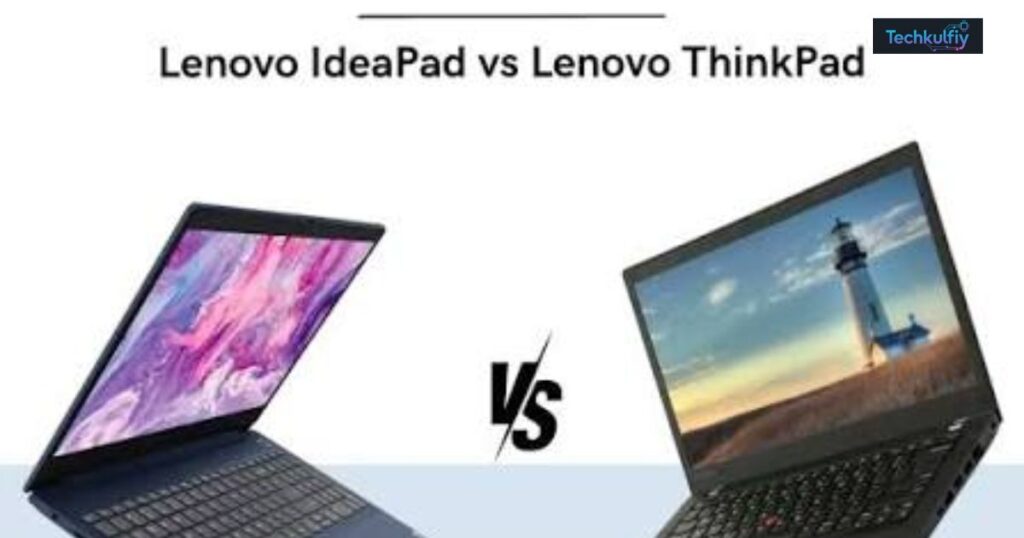
One of the biggest strengths of Lenovo ThinkPad performance is the sheer variety available across the lineup. Entry-level models can handle web browsing, office applications, video calls, and schoolwork without unnecessary hardware. Premium systems can combine powerful processors, generous RAM, fast SSD storage, high-resolution screens, and professional graphics. This flexibility lets you match the hardware to your workload rather than paying for performance you’ll never use.
ThinkPad laptops also focus heavily on everyday usability. A quality Lenovo ThinkPad keyboard can make a noticeable difference when you spend hours writing emails, reports, code, or spreadsheets. The Lenovo ThinkPad TrackPoint adds another navigation method for users who prefer controlling the cursor without moving their hands away from the keyboard. Connectivity varies by model, yet many ThinkPads provide useful combinations of USB-C, HDMI, USB ports, and sometimes Thunderbolt 4. Wireless connectivity commonly includes Wi-Fi and Bluetooth for modern peripherals and networks.
| Feature | Why It Matters |
|---|---|
| Processor | Determines general speed and multitasking ability |
| RAM | Helps with multitasking and demanding applications |
| SSD storage | Provides fast boot times and responsive file access |
| Display | Affects viewing comfort, color, clarity, and workspace |
| Keyboard | Important for long writing and office sessions |
| Battery | Determines how long you can work away from an outlet |
| Ports | Makes it easier to connect monitors and accessories |
| Graphics | Matters for gaming, editing, design, and 3D workloads |
| Security | Helps protect accounts, devices, and sensitive information |
Display options can also differ considerably. Some configurations use an IPS display for balanced image quality and power efficiency. Higher-end models may offer an OLED display with deeper blacks and stronger contrast. Processor choices can range from efficient mainstream chips to high-performance platforms such as an Intel Core i7, AMD Ryzen 7 PRO, or AMD Ryzen 9. For demanding graphics workloads, selected ThinkPad workstations can move beyond integrated graphics.
3. Lenovo ThinkPad Security Features
Security remains one of the defining reasons businesses choose ThinkPads. A Lenovo ThinkPad security package can combine hardware and software protections designed to reduce unauthorized access and safeguard sensitive information. This matters even more for professionals who carry company documents, financial information, customer records, or intellectual property between offices and home.
Many configurations include biometric authentication through features such as a fingerprint sensor or an infrared camera that supports Windows Hello. Certain models also provide privacy-focused hardware and webcam protection. Another important technology is dTPM, which helps protect encryption keys and other sensitive security information at the hardware level. ThinkPad security features vary between models, so buyers should check the exact configuration instead of assuming every feature appears across the entire range.
For businesses, security isn’t just about stopping someone from logging into a laptop. It’s about creating multiple layers of protection. A strong password, hardware security module, biometric login, encrypted storage, privacy controls, and secure operating system can work together like several locks on the same door. That layered approach makes a ThinkPad particularly attractive as a business laptop.
4. Pros of Lenovo ThinkPad Laptops
The biggest advantages of Lenovo ThinkPad laptops revolve around durability, usability, security, and professional reliability. ThinkPads generally prioritize function over decoration. Their keyboards are especially popular with people who type for long periods, while the TrackPoint remains a distinctive feature that longtime users often refuse to give up. Once you become comfortable with it, moving the cursor without leaving the home-row area can feel surprisingly efficient.
Another major benefit is Lenovo ThinkPad durability. Many models undergo extensive durability testing, and some ThinkPads are built around materials and designs intended to handle demanding environments. Certain models also offer features such as a spill-resistant keyboard. However, “military-grade durability” should not be interpreted as an invitation to drop your laptop down the stairs. Durability testing indicates resistance under specified conditions, not invincibility.
The lineup also provides impressive variety. You can choose a compact lightweight laptop for travel or a larger machine designed for intensive professional applications. Business users can benefit from security and docking options while students can focus on battery endurance, keyboard comfort, and reliability. That versatility explains why the best Lenovo ThinkPad laptops aren’t necessarily the most expensive ones. The best model is the one that fits your actual workload.
5. Cons of Lenovo ThinkPad Laptops
Despite their strengths, disadvantages of Lenovo ThinkPad laptops exist. Price is one of the most obvious concerns. Premium ThinkPad models can cost significantly more than ordinary consumer laptops with similar basic specifications. You’re often paying for factors beyond the processor and storage, including construction, security features, keyboard design, business support, and enterprise-focused engineering. For someone who only browses the web and watches videos, that premium may not make financial sense.
Graphics performance can also become a limitation on models that rely on integrated graphics. Intel Iris Xe graphics can handle everyday productivity, media playback, and lighter creative work, yet they aren’t designed to replace a dedicated gaming or workstation GPU. Some ThinkPads use AMD Radeon graphics, while workstation-oriented models can include dedicated professional graphics such as NVIDIA RTX 2000 Ada. Choosing the wrong graphics configuration can leave you wishing for more horsepower later.
Design is another subjective drawback. Lenovo ThinkPad design tends to look conservative and professional. That’s a strength in an office but may feel plain if you prefer colorful or ultra-modern consumer laptops. Weight also varies substantially between models. A compact ThinkPad can be remarkably easy to carry, while a powerful workstation can feel much heavier in a backpack.
| Potential drawback | Who may notice it most |
|---|---|
| Higher ThinkPad price | Budget-conscious buyers |
| Limited integrated graphics | Gamers and 3D professionals |
| Conservative styling | Users who prefer flashy designs |
| Heavier workstation models | Frequent travelers |
| Model-specific feature differences | Buyers comparing several configurations |
6. Who Should Buy a Lenovo ThinkPad Laptop?
A Lenovo ThinkPad business laptop makes particular sense for professionals who spend most of their day working with documents, spreadsheets, presentations, communication tools, browsers, and specialized business software. Reliability matters in that environment. A laptop that freezes during a presentation or struggles with everyday multitasking can become a productivity bottleneck. ThinkPads aim to reduce that friction through dependable hardware and practical features.
Students can also benefit from ThinkPads, especially when they choose a reasonably priced configuration. A durable laptop with a comfortable keyboard, dependable battery, and enough processing power can last through years of assignments and research. Remote workers and frequent travelers may prefer lightweight models because portability becomes crucial when the laptop travels between home, office, classroom, and airport lounges.
Professionals with specialized workloads should look beyond the badge and examine individual specifications. Developers may prioritize RAM and processor performance. Designers may care more about screen quality and GPU capability. Engineers and creators running demanding applications may benefit from a workstation-class ThinkPad. Meanwhile, casual users might find a less expensive Lenovo laptop sufficient.
7. Lenovo ThinkPad Series Explained
The Lenovo ThinkPad models available today cover several distinct categories. The X1 family generally targets users who want premium construction and portability. T Series laptops are known for balancing professional performance, durability, and practical business features. E Series models provide a more accessible route into the ThinkPad ecosystem, while L Series systems often focus on practical business value. P Series workstations target users who need serious processing and graphics capability.
The Z Series takes a more modern approach with premium materials and newer platform options. Meanwhile, individual generations can change specifications significantly. A newer processor doesn’t automatically make every newer model the better purchase. Display quality, RAM, SSD capacity, battery size, weight, ports, and pricing can change the equation. That’s why comparing complete configurations matters more than simply comparing series names.
| ThinkPad Series | General Focus | Suitable For |
|---|---|---|
| X1 | Premium and portable | Executives and professionals |
| T Series | Balanced business computing | Office and corporate users |
| E Series | Business value | Small businesses and budget buyers |
| L Series | Practical productivity | Organizations and everyday professionals |
| P Series | Mobile workstation | Engineers, creators, and technical professionals |
| Z Series | Premium modern design | Professionals wanting newer design choices |
The important takeaway is simple: don’t choose a ThinkPad series solely because it sounds premium. Start with your workload. Then select the series and configuration that actually supports it.
8. Best Lenovo ThinkPad Laptops to Consider
The best Lenovo ThinkPad laptops depend on what you expect from your machine. For a premium professional experience, the ThinkPad X1 Carbon remains a strong candidate because its design emphasizes portability, productivity, and business use. Users who travel regularly may appreciate its compact form factor, while office professionals can take advantage of its keyboard, connectivity, and security ecosystem.
For users who want a balanced business machine, a ThinkPad T Series configuration can make more sense. It typically offers a practical mix of performance, durability, connectivity, and professional features. If you want a convertible design, an X1 2-in-1 model provides flexibility for presentations, note-taking, and touch-based interaction. Meanwhile, buyers who need workstation-class performance should examine ThinkPad P Series systems.
A P Series configuration can pair a powerful processor with professional graphics. For example, a model equipped with an AMD Ryzen 9 and NVIDIA RTX 2000 Ada can serve workloads that would overwhelm a basic office laptop. However, workstation performance comes with trade-offs in weight, price, and portability. There’s no free lunch when you pack serious computing power into a mobile chassis.
| ThinkPad Type | Best For | Main Priority |
|---|---|---|
| X1 Carbon | Premium professionals | Portability |
| T Series | Business users | Balanced performance |
| X1 2-in-1 | Flexible professionals | Touch and versatility |
| E Series | Budget-conscious businesses | Value |
| P Series | Technical professionals | Workstation performance |
When comparing models, don’t focus on processor names alone. Check the entire configuration, including display, memory, storage, battery, graphics, weight, and ports. Two laptops carrying the same family name can deliver noticeably different experiences.
9. How to Choose the Right Lenovo ThinkPad Laptop
Start by asking what you’ll actually do with the computer. For web browsing, Microsoft Office, email, video meetings, and schoolwork, you don’t need workstation-level hardware. A modern processor, sufficient RAM, fast SSD storage, and a comfortable display should provide a smooth experience. If you regularly run virtual machines, large spreadsheets, development environments, or professional applications, stepping up the processor and memory becomes more sensible.
Display choice deserves more attention than many buyers give it. A larger screen can provide more workspace, while a smaller screen improves portability. An IPS display can offer a strong balance for office work and battery efficiency. An OLED display can provide richer contrast and deeper blacks, which may appeal to users who consume media or work with visual content. Resolution matters too, especially if you spend eight hours staring at the screen.
Think carefully about connectivity as well. If you regularly connect an external monitor, projector, storage drive, or docking station, check the available USB-C, HDMI, and Thunderbolt 4 ports. Wireless features such as Wi-Fi and Bluetooth are equally important for modern workspaces. Battery capacity matters too, but real-world Lenovo ThinkPad battery life depends on the processor, display, software, brightness, applications, and usage pattern.
Finally, consider portability and budget together. A high-performance laptop can be excellent for demanding workloads yet inconvenient if you carry it across campus every day. Conversely, an ultra-light machine may be ideal for travel but unsuitable for heavy rendering. The sweet spot is the configuration that gives you enough power without making you pay for hardware you won’t use.
| Buying Factor | What to Consider |
|---|---|
| Processor | Match performance to your applications |
| RAM | More memory helps demanding multitasking |
| SSD storage | Choose enough capacity for files and software |
| Display | Compare size, resolution, IPS, and OLED |
| Battery | Consider your typical time away from outlets |
| Graphics | Integrated graphics for basic use, dedicated GPU for demanding work |
| Weight | Important for commuters and travelers |
| Ports | Check monitor, dock, storage, and accessory needs |
| Security | Look for biometrics and hardware-level protection |
| ThinkPad price | Balance features with your actual budget |
10. Are Lenovo ThinkPad Laptops Worth It?
For the right buyer, Lenovo ThinkPad laptops are absolutely worth considering. Their strongest qualities aren’t limited to benchmark numbers. A comfortable keyboard, sturdy construction, useful ports, strong security, dependable performance, and sensible ergonomics can make a bigger difference during years of daily use. ThinkPads are designed around productivity, which is why they remain particularly compelling for professionals and business users.
The value becomes clearer when you choose according to your needs. A student doesn’t necessarily need a premium workstation. A corporate employee may benefit from enterprise-oriented security and support. A frequent traveler may prefer a lightweight X1 model. An engineer or creative professional could justify a P Series workstation because graphics and processing capability directly affect productivity. In each case, the “best” laptop changes.
Ultimately, Lenovo ThinkPad pros and cons come down to priorities. You may pay more than you would for a basic consumer laptop. You may also get a more conservative design and limited graphics performance on some configurations. However, if durability, typing comfort, security, professional reliability, and long-term usability matter to you, a ThinkPad can be a remarkably sensible investment.
Frequently Asked Questions About Lenovo ThinkPad Laptops
Are Lenovo ThinkPad laptops good?
Yes. ThinkPad laptops are particularly well suited to business, education, productivity, programming, remote work, and professional applications. Their reputation comes from practical design, durable construction, excellent keyboards, and strong security options.
Are Lenovo ThinkPad laptops worth the money?
They can be. The higher ThinkPad price often reflects business-focused engineering, durability, security, and usability. However, budget-conscious users should compare specifications carefully because some consumer laptops can offer better raw hardware value.
Which Lenovo ThinkPad is best for business?
The ThinkPad X1 and T Series are strong choices for many business users. The best option depends on whether you prioritize portability, performance, display quality, battery endurance, security, or budget.
Are ThinkPad laptops good for students?
Yes. A properly configured ThinkPad can make an excellent student computer. Look for a lightweight design, comfortable keyboard, good battery endurance, sufficient RAM, and enough SSD storage for coursework and applications.
Are Lenovo ThinkPads good for gaming?
Some ThinkPads can handle casual or lighter gaming, but gaming isn’t their primary purpose. Models with integrated Intel Iris Xe graphics or AMD Radeon graphics aren’t ideal for demanding modern games. Users who want serious gaming should consider laptops built specifically around dedicated gaming GPUs.
How long do Lenovo ThinkPad laptops last?
Lifespan depends on the specific model, workload, maintenance, and treatment. Their durable construction and business-oriented design can make ThinkPads suitable for long-term use. Battery capacity naturally declines over time, while demanding software may eventually require newer hardware.
What is the difference between ThinkPad series?
Each series targets a different balance of portability, performance, price, and professional features. X1 generally emphasizes premium portability, T Series focuses on balanced business use, E and L Series emphasize practical value, and P Series targets workstation workloads.
Final Verdict
Lenovo ThinkPad laptops remain a strong option when reliability and productivity matter more than flashy styling. The lineup offers everything from compact business machines to powerful mobile workstations. Its strongest advantages include Lenovo ThinkPad durability, a renowned Lenovo ThinkPad keyboard, practical Lenovo ThinkPad connectivity, extensive security options, and dependable performance.
Still, choosing the right model matters. Don’t buy the most expensive ThinkPad simply because it carries a premium badge. Instead, match the processor, RAM, SSD storage, display, graphics, battery, weight, and ports to your everyday work. If you do that, you can find a Lenovo ThinkPad laptop that feels less like a disposable gadget and more like a dependable work companion.
FAQs
- What are the details of a Lenovo ThinkPad laptop?
Lenovo ThinkPad laptops offer durable designs, strong performance, security features, and comfortable keyboards for work and study. - What is special about a Lenovo ThinkPad?
ThinkPads are known for their durability, reliable performance, excellent keyboards, and business-focused security features. - What is the useful life of a Lenovo ThinkPad?
A well-maintained ThinkPad can typically last 5–7 years or longer, depending on usage, maintenance, and hardware. - What is the purpose of the Lenovo ThinkPad?
ThinkPads are designed for business, professional work, education, and everyday productivity. - What are ThinkPads best used for?
ThinkPads are best suited for office work, programming, studying, remote work, business tasks, and professional applications.
Meta Description
Lenovo ThinkPad laptops offer durable designs, strong performance, security features, and reliable options for work, study, and business

Noor ul Ain is a tech enthusiast and the founder of Techkulfiy. She loves exploring Artificial Intelligence (AI) and future tech, breaking down complex trends into simple, engaging updates for her readers.