

The how to fix chatgpt network error on long responses problem can interrupt your work when ChatGPT is generating a lengthy article, researching a topic, or explaining a complicated question. You may see a network error even when your internet connection appears to be working normally.
This issue can be frustrating for students, writers, developers, and professionals who depend on ChatGPT for productivity. Sometimes, the problem comes from an unstable connection, a browser issue, a long-running request, or a temporary service disruption.
The good news is that you can try several practical solutions before giving up on your response. This guide explains five quick fixes, additional troubleshooting methods, and ways to reduce interruptions when generating long answers.
Fix ChatGPT Network Error on Long Responses: Understand the Cause

If you want to fix chatgpt network error on long responses, start by identifying when the message appears. Does ChatGPT stop while writing a long article, explaining code, or analyzing a large document? Does the same error appear with a short question? These details help narrow down the cause.
A ChatGPT network error does not always mean your internet is completely disconnected. A brief connection interruption, browser extension, VPN, temporary service issue, or unusually large request may interrupt a response. Long answers simply take more time to generate, giving interruptions more opportunity to occur.
To fix chatgpt network error on long responses, test one change at a time instead of changing several settings at once. First, send a short prompt. Then try a longer request. If short answers work but long ones fail, divide the task into smaller sections and check whether the problem improves.
Why ChatGPT Network Errors Happen During Long Answers
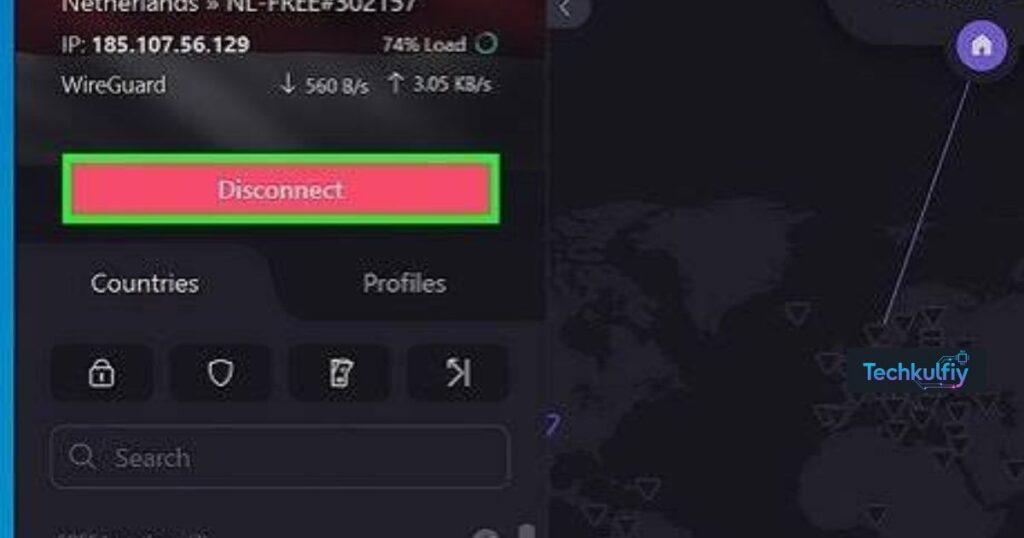
There are several possible reasons for a network error on ChatGPT. Your Wi-Fi may briefly drop, your browser may have outdated site data, or an extension may interfere with the page. A VPN or proxy connection can also contribute to routing or connection problems.
Another possibility is a temporary service disruption. If ChatGPT is experiencing an incident, repeatedly refreshing your browser will not necessarily solve it. Large prompts and document uploads may also make a request more demanding, although length alone does not prove that it caused the error.
When you try to fix chatgpt network error on long responses, look for a pattern. If other websites also disconnect, check your internet. If ChatGPT fails only in one browser, test a private window or another browser. If every device has the same issue, check the official service status.
Five Quick Ways to Fix ChatGPT Network Error on Long Responses
Check Your Internet Connection
Begin with your connection. Open a few different websites and see whether they load reliably. If pages keep timing out, reconnect to Wi-Fi or restart your router if you manage it. You can also test a mobile hotspot to compare the results.
If ChatGPT works on another connection, your original network may be contributing to the problem. If all other websites work normally, continue to the browser and service checks rather than assuming the internet is definitely responsible.
This is the first step to fix chatgpt network error on long responses because a stable connection is essential for sending requests and receiving generated text. Avoid repeatedly resubmitting a large prompt until you know the connection is stable.
Split a Long Prompt Into Smaller Requests
A single request for a complete report, lengthy article, or large code review may be harder to recover if generation is interrupted. Ask for an outline first, then request each section separately. For writing tasks, you can generate the introduction, main sections, FAQs, and conclusion in separate steps.
This method does not guarantee that errors will disappear, but it limits how much work you may lose. Keep your original instructions in a separate document so you can continue without rewriting the prompt.
If you need to fix chatgpt network error on long responses while preparing a 2,000- or 3,000-word article, section-by-section drafting is a practical workflow. Save each completed part before asking ChatGPT to continue.
Refresh ChatGPT and Test a New Chat
If the page appears stuck, copy any visible text you need to keep and refresh the page. Send a short test prompt after it reloads. If the error happens only in one conversation, try a new chat with the essential instructions copied over.
A new conversation can help identify whether the current chat is part of the problem, but it will not fix an internet outage or a broader service incident. Do not assume that the new chat contains the full context of the previous conversation.
When attempting to fix chatgpt network error on long responses, preserve important work before refreshing. If a response has already failed, you may need to ask for the unfinished section again rather than expecting the interrupted answer to resume automatically.
Try Incognito Mode or Another Browser
Browser extensions, cookies, and cached website data can sometimes interfere with how a site works. Open a private or incognito window and sign in if needed. Test ChatGPT with a short prompt, followed by a longer one.
If it works in private browsing, temporarily disable extensions that may affect the page, such as privacy tools or script blockers. You can also clear the site data for ChatGPT, but remember this may sign you out. Make sure you know how to sign in again before clearing cookies.
This diagnostic step can help you fix chatgpt network error on long responses when the issue is browser-specific. Update your browser as well, and test a second supported browser if the problem remains.
Check the Official Service Status
Sometimes the issue is outside your control. If ChatGPT fails across multiple browsers and devices while your internet remains stable, check OpenAI’s official service-status page for a reported incident.
If a relevant incident is listed, wait for the service to recover and try again later. Changing browser settings or reinstalling an app is unlikely to resolve a server-side problem. If no incident is shown, keep in mind that a status page may not reflect every isolated issue.
Checking service status is an important part of how to fix chatgpt network error on long responses without wasting time on unnecessary changes.
More Troubleshooting Steps If the Error Continues
If the five quick methods do not help, use these additional checks to narrow down the issue.
Temporarily test without a VPN. A VPN or proxy can sometimes affect connection routing. If it is safe and permitted, disconnect briefly and test again. If the problem disappears, investigate the VPN connection rather than changing unrelated settings.
Update your browser or app. Install available updates and restart the application. Older versions may occasionally cause compatibility problems.
Check firewall or network restrictions. A work, school, or public network may restrict certain connections. Ask the network administrator for help instead of bypassing security controls.
Reduce attachment size. If your prompt includes a large file or several documents, test with a smaller excerpt. This helps determine whether the upload or request size is relevant.
Try a short test prompt. Ask a simple question, then compare it with the request that failed. The difference can reveal whether the problem is limited to longer or more complex tasks.
When you fix chatgpt network error on long responses, make one adjustment at a time and repeat the same test. This makes it easier to identify which change helped.
Best Fix for Each ChatGPT Network Error Scenario
| What you notice | What to try | What it can tell you |
|---|---|---|
| Other websites also fail | Check Wi-Fi or try another connection | Whether the network may be unstable |
| Short answers work, long answers fail | Split the prompt into sections | Whether a smaller request is more reliable |
| ChatGPT works in a private window | Review extensions and site data | Whether browser settings may be involved |
| The error appears with a VPN | Test without the VPN when appropriate | Whether the connection route may contribute |
| Several devices fail at once | Check service status | Whether a wider service issue is possible |
| Large uploads trigger errors | Test with a smaller file | Whether attachment size may matter |
| The app freezes repeatedly | Restart and update the app | Whether an app issue may be involved |
Use the row that best matches your situation rather than trying every possible solution randomly. No single method can guarantee a fix because the same message can have different causes.
How to Prevent Errors When Generating Long Articles
Writers and students can reduce the impact of interruptions by using a simple workflow. Start with an outline, generate a few sections at a time, and save completed text in a separate document. Keep the focus keyword, title, audience, tone, and other instructions somewhere safe.
If you are writing for a website, review each section before continuing. This gives you a chance to correct errors early and makes it easier to recover if a response fails. For coding tasks, provide the relevant function and error message first instead of pasting an entire project when only a small part is involved.
These habits will not eliminate every ChatGPT network error, but they can protect your progress and reduce repeated work. They are particularly useful when generating long-form content or working with complex prompts.
To fix chatgpt network error on long responses more efficiently, avoid resubmitting the same large request over and over. Check the connection, try a smaller request, and save any useful output you already have.
Does a Long Response Always Cause the Error?
No. A long response does not automatically cause a network error. Length may make a request take longer, but a successful long response is possible when the service and connection work normally. The error can also be caused by browser settings, temporary outages, or network interruptions.
If short prompts work and longer prompts consistently fail, split the request and test again. If both short and long prompts fail, investigate the connection, browser, and service status. This comparison is more useful than assuming response length is the only cause.
If you are trying to fix chatgpt network error on long responses, focus on observable patterns. Test another browser, compare another connection if available, and note whether the same error appears across devices.
What to Do If Nothing Works
If the error persists after these checks, record the approximate time, device, browser, and steps that reproduce it. Save a screenshot if useful, but do not expose passwords, security codes, or private information. Contact OpenAI support through its available help options and explain which troubleshooting steps you have already tried.
Avoid installing unofficial tools that promise to repair ChatGPT or sharing your login details with anyone offering a special fix. A subscription upgrade also cannot guarantee that connection problems will disappear.
A careful diagnosis is the best next step when common fixes have failed. The information you gather can help support distinguish a browser issue from a network or service problem.
Use this check first when you need to fix chatgpt network error on long responses without changing other settings.
This is another useful test to fix chatgpt network error on long responses when the connection seems unstable.
Keep this step in your checklist to fix chatgpt network error on long responses systematically.
If the error returns, repeat the short-prompt test to help fix chatgpt network error on long responses.
Browser testing is a sensible next step to fix chatgpt network error on long responses when only one browser is affected.
Check the service before making more changes to fix chatgpt network error on long responses.
This comparison can help you fix chatgpt network error on long responses without guessing.
Use the table to decide which test may help fix chatgpt network error on long responses in your situation.
Saving each section makes it easier to fix chatgpt network error on long responses without losing your work.
These diagnostic steps can help you fix chatgpt network error on long responses in a more organized way.
Try the simplest test first when you want to fix chatgpt network error on long responses.
Compare the results after each change to fix chatgpt network error on long responses more confidently.
Keep notes about repeated failures while you fix chatgpt network error on long responses.
A smaller request is a useful experiment to fix chatgpt network error on long responses.
Following the steps in order can help you fix chatgpt network error on long responses with less wasted effort.
Frequently Asked Questions
How do I fix ChatGPT network error on long responses quickly?
Check your internet connection, shorten the request, refresh the page after saving visible text, and test a private browser window. If the error continues across devices, check the official service status.
Why does ChatGPT work with short prompts but fail with long ones?
Long requests take more time to generate, so interruptions may affect them more often. Complex prompts, browser problems, and temporary service issues can also contribute. Try requesting the content in smaller sections.
Will clearing the browser cache always solve the error?
No. Clearing site data may help when the problem is browser-related, but it will not repair an unstable internet connection or a service outage. Test private browsing first to see whether browser settings may be involved.
Can a VPN cause a ChatGPT network error?
It can sometimes contribute to connection or routing problems. If safe and permitted, test without the VPN. If the error remains, investigate other possible causes.
How can I avoid losing a long ChatGPT response?
Save completed sections in a separate document, keep prompts available, and generate lengthy work in smaller parts. This will not prevent every interruption, but it makes recovery easier.
Is ChatGPT down whenever this error appears?
No. The cause may be local to your browser, device, or network. Check the official service status and test another browser or connection before concluding that the service is down.
Do I need a paid ChatGPT plan to solve network errors?
No. Basic troubleshooting does not require a paid plan. Network stability, browser settings, prompt size, and service availability can affect users on different plans.
What if the error appears on every device?
Confirm that the devices are using a reliable connection, check the service-status page, and contact support if the issue continues. Record the error details and the steps you have tried.
Conclusion
The most effective way to fix chatgpt network error on long responses is to identify the cause rather than repeatedly retrying the same request. Begin with your internet connection, divide lengthy prompts into smaller tasks, refresh ChatGPT carefully, and test another browser or private window. Then check VPN settings, app updates, network restrictions, and service status if needed.
For long articles, reports, and coding tasks, save your work as you go. A section-by-section workflow makes it easier to continue after an interruption and reduces the amount of content you may need to regenerate. If the error persists across devices and connections, document what happens and contact OpenAI support.
There is no universal fix for every network error, but these steps give you a clear, practical order to follow. Test one change at a time, protect your completed work, and use the results to narrow down the cause.

About the Author
The author at TechKulfiy writes informative articles about technology, software, digital platforms, and IT solutions. The goal is to make complex topics easier to understand by providing clear explanations, practical insights, and helpful information. Each article aims to help readers explore technology topics and make informed decisions.