

A brat generator is an online tool for creating Brat-style images.
It turns your text into bold designs with simple colors and effects.
You can create custom text, memes, and covers in just a few clicks.
Want to create a fun Brat-style image in seconds?
Type your words, choose a color, and watch your design appear.
No advanced design skills are needed to get started.
A brat generator offers colors, text styles, blur, and alignment options.
You can preview your design and download it as an image.
It works well for memes, social posts, covers, and profile pictures.
O
What Is Brat Generator?
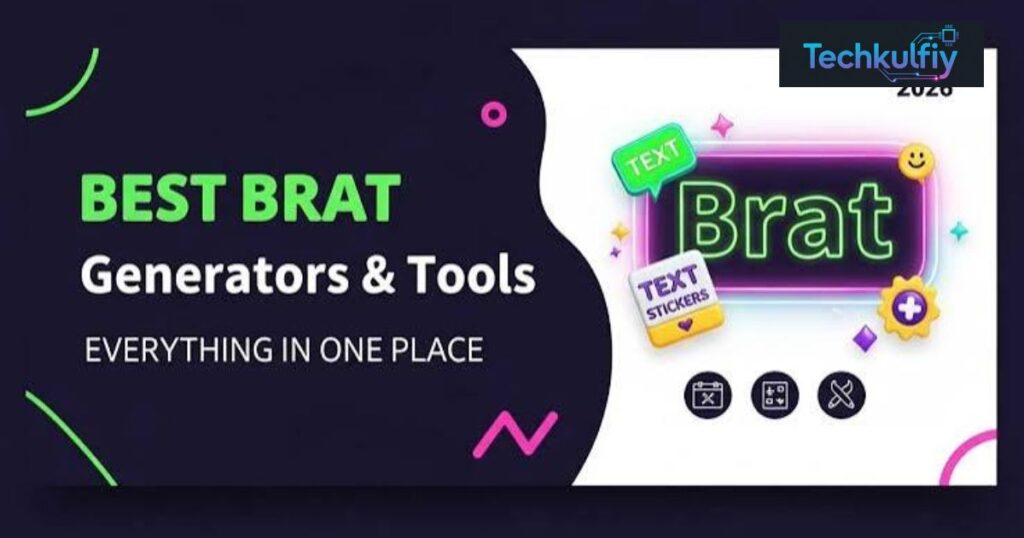
A Brat Generator is an online image maker that creates graphics based on the recognizable visual language associated with Charli XCX’s Brat album. The original brat album cover became widely recognizable because of its bright green color, minimal layout, and simple typography. A modern Brat Generator turns those design ideas into an easy-to-use online tool.
Instead of opening Photoshop or another complicated editor, you can use a Brat Generator to create your own version. You simply enter text into the generator and watch it appear on the canvas. Depending on the tool, you may also change the background color, text alignment, blur, canvas size, and image format.
The term Charli XCX brat usually refers to the broader visual and cultural identity connected with Charli XCX’s 2024 album Brat. The album cover itself became a strong visual reference for internet users. Its simplicity made the design easy to recognize and easy to recreate in new ways.
A Brat Generator doesn’t need to copy an entire album cover to create the same general feeling. In fact, the best designs often use original words. You can create a funny phrase, nickname, reaction, event title, or short meme caption while keeping the familiar visual structure.
| Brat Generator Element | Common Treatment |
|---|---|
| Text | lowercase text |
| Background | green background |
| Typography | Condensed or narrow sans serif |
| Effect | text blur or slight softness |
| Layout | Minimal |
| Output | PNG, JPEG, or WebP |
| Main uses | Memes, covers, posts, profile graphics |
A Brat Generator can therefore be thought of as a digital template that gives you creative freedom. The basic style stays recognizable while the words and colors can change.
How Does the Brat Generator Work?
Most modern Brat Generator tools use canvas rendering inside the browser. When you enter text, the browser draws that text onto a digital canvas. The generator then applies settings such as font size, alignment, color, and blur before showing the finished design.
The process feels almost instant because many tools provide a live preview. You don’t have to press a separate render button every time you change one word. As you type, the canvas updates. This feature is especially useful when experimenting with different phrases.
A good Brat Generator also uses automatic text scaling. Imagine typing one short word and then replacing it with a sentence. If the generator kept the same font size, the sentence could run outside the canvas. Automatic scaling solves that problem by reducing the text size when necessary.
Longer phrases may also use text wrapping. Instead of forcing everything onto one line, the generator can move part of the phrase to another line. This keeps the design inside the canvas while maintaining a readable layout.
Another important part is text alignment. Centered alignment gives the classic album-cover feeling. Right alignment can create a more editorial appearance. Justified alignment can work well when you’re using longer phrases that need to fill a wider area.
The technical process may sound complicated, but you don’t need to understand the code behind it. From your perspective, the workflow is simple: type, customize, preview, and download.
Brat Text Generator: Create Custom Brat Text
A brat text generator focuses on turning your words into the recognizable Brat-style typography. Instead of downloading a font and designing the image yourself, you can type directly into the generator. This makes a brat text maker useful for quick projects where you want the visual result without spending time learning design software.
The classic approach works especially well with short phrases. One word can become large and bold while a two- or three-word phrase can fill the canvas without feeling crowded. Longer sentences can still work when the generator supports automatic scaling and wrapping.
A brat font generator may use Arial Narrow font or another similar narrow typeface. The exact font can vary between tools. The overall appearance comes from more than the font itself. Lowercase formatting, spacing, color, text size, and blur all contribute to the final result.
This is why simply finding a so-called “Brat font” doesn’t automatically recreate the complete aesthetic. The typography is only one piece of the puzzle. The background and composition matter just as much.
For example, imagine the phrase “i need a break.” On a plain white document, it looks ordinary. Put the same phrase into a Brat Generator, use lowercase text, add a bright green background, and apply a small amount of blur. Suddenly, the same words feel like a deliberate graphic.
The brat typing experience also makes these tools fun. You can keep changing the wording while watching the image update. It’s almost like typing into a visual playground rather than a normal text box.
Brat Generator Colors, Font & Style Options
Color plays a major role in a Brat Generator. The classic brat color palette centers around a bright lime-green shade that became strongly associated with the album. A commonly referenced HEX value is #8ACE00, although different online recreations can use slightly different shades.
A dedicated brat green generator may offer this green as its default preset. However, many modern tools provide additional options so you aren’t locked into one color.
A black background with white text creates a strong high-contrast design. A white background with dark text feels cleaner and more minimal. A bright pink color produces a playful result while a pumpkin color gives the design a warmer yellow-orange appearance.
These color presets make it easy to create several versions of the same idea. You might use green for a classic design and pink for a social media post. The wording stays the same while the mood changes completely.
Typography is equally important. Brat-style designs generally look better with simple, narrow lettering instead of decorative fonts. Lowercase text helps maintain the casual appearance associated with the original visual identity.
The amount of blur also matters. Too little blur can make the design look like an ordinary text graphic. Too much blur can make the message difficult to read. A small amount of blurred text often provides a useful middle ground.
| Style Element | Common Choice |
|---|---|
| Classic color | #8ACE00 |
| Text format | lowercase text |
| Typeface | Arial Narrow font or similar |
| Background | solid color background |
| Effect | Light text blur |
| Classic layout | centered alignment |
| Alternative layout | right alignment or justified alignment |
The important thing is balance. A Brat Generator should make customization easy without turning a simple design into a crowded poster.
Brat Maker: Download Brat Images in PNG, JPEG & WebP
After creating your design, the brat maker needs to give you an easy way to save it. Most modern tools provide image export options such as PNG, JPEG, and WebP.
PNG is often a useful choice for text-heavy graphics because it preserves image quality without the same type of compression used by JPEG. If you plan to edit the image later, PNG can also be a convenient format.
JPEG can produce a smaller file size, which can be helpful when you’re uploading social media images or sending graphics through messaging platforms. WebP is another efficient option that can keep file sizes relatively small while maintaining good quality.
Some versions of a Brat Generator also include copy to clipboard functionality. Instead of downloading the image first, you can copy the generated PNG and paste it into a compatible application.
The right export format depends on how you plan to use the image. A graphic with large text and flat colors may look excellent as PNG. A smaller social upload may work perfectly well as JPEG or WebP.
Always check the final download image before publishing it. Make sure the text isn’t cut off and that the blur hasn’t made important words difficult to read.
| Format | Main Benefit | Useful For |
|---|---|---|
| PNG | Lossless quality | Text graphics and editing |
| JPEG | Smaller file size | Social media sharing |
| WebP | Efficient compression | Websites and modern browsers |
A reliable brat image maker should make this entire process straightforward. You shouldn’t need to convert files through another website just to use your finished design.
Brat Generator Aspect Ratios & Canvas Sizes
The aspect ratio determines the shape of your final image. Choosing the right ratio before you start can prevent awkward cropping later.
A 1:1 ratio creates a square image. This works well for Instagram posts, profile graphics, avatars, and many general-purpose designs. Square artwork also fits the simple composition often used in Brat-style graphics.
A 9:16 ratio creates a tall vertical image. This format works well for Instagram Stories and TikTok because it fills a smartphone screen. If you’re creating a vertical graphic, keep important text away from the extreme edges because different apps may display interface elements around the content.
A 16:9 ratio creates a wide image. This is useful for YouTube thumbnails, desktop backgrounds, presentations, and other horizontal graphics.
Some tools also let you control the canvas size. A larger canvas can provide more detail and flexibility, while a smaller canvas may be faster for simple online sharing.
| Aspect Ratio | Example Canvas | Common Use |
|---|---|---|
| 1:1 ratio | 1080 × 1080 | Instagram posts, profile pictures |
| 9:16 ratio | 1080 × 1920 | Instagram Stories, TikTok |
| 16:9 ratio | 1920 × 1080 | YouTube thumbnails, desktop graphics |
Don’t confuse resolution with aspect ratio. Resolution tells you how many pixels the image contains. Aspect ratio tells you its shape. A large image can still have the wrong shape for your intended platform.
A good Brat Generator lets you choose the format based on your final destination. That small decision can make your finished graphic look much more professional.
How to Use the Brat Generator
Using a Brat Generator doesn’t require design experience. Start by opening the generator on your mobile and desktop device. A browser-based tool can be especially convenient because there’s usually no upload required and no account needed.
Enter your text into the main field. Try a short phrase first because short wording usually works well with the classic composition. If you want a meme, think about the message before adding extra words. A strong meme caption often works better when the reader can understand it immediately.
Next, select your background. If you want the familiar look, start with the bright green preset. You can then test black, white, pink, or pumpkin options to see how they change the mood.
After choosing the color, adjust the typography and effects. Test different levels of text blur rather than automatically choosing the strongest effect. Check the live preview after every major change.
The next step is text alignment. Centered text is a natural starting point. Right alignment can give the design a more unusual editorial feel while justified alignment may suit longer phrases.
Choose your aspect ratio and canvas size based on where you plan to publish the image. A square design is useful for many social posts while a vertical canvas works better for mobile stories.
Finally, review the design and use the download image option. Select PNG, JPEG, or WebP depending on your needs. If the tool offers copy to clipboard, you can also paste the result directly into supported applications.
The entire process can feel almost instant once you know where each setting is located.
Brat Meme Generator & Popular Brat Styles
The brat meme generator is one of the most popular ways to use this visual style. Memes often work because they communicate a thought quickly. The minimalist Brat format fits that idea perfectly.
A brat meme maker can turn a short reaction into a complete image without adding photographs, stickers, or complicated graphics. A phrase such as “i’m fine” can become funny because of the contrast between the calm wording and the recognizable visual style.
The classic green version remains the obvious choice for users who want the strongest connection to the original aesthetic. However, other colors can make the same phrase feel completely different.
A black version can look sharper. A pink version can feel more playful. A white version can feel cleaner. The important thing is to keep the text readable and avoid adding too many competing elements.
A brat caption generator can also be useful when you don’t know what to write. You can create short original captions around everyday situations, moods, friendship, work, college, weekends, or social events. The generator then turns those words into a visual graphic.
The same approach works for a brat album cover generator. You can create fictional album-style artwork with your own title or name. A brat album text generator can be particularly useful when the words themselves are the main visual element.
You can even use a brat aesthetic generator to explore different combinations of colors, blur, alignment, and canvas sizes. This makes the tool less like a one-purpose meme website and more like a small creative studio.
Why the Brat Aesthetic Became So Popular
The brat aesthetic became recognizable because it looked different from highly polished pop artwork. The design associated with Charli XCX’s Brat album used a simple composition with a vivid green field and straightforward typography. That simplicity became part of its identity.
The brat album cover was easy to recognize even when viewed quickly. This matters on social media because users often scroll through dozens of images within minutes. A distinctive color and unusual typography can stop the eye without requiring a complicated illustration.
Another reason the style worked well online is that people could remix it. A complicated design requires editing skills. A simple text-and-color format can be recreated by almost anyone.
That helped the visual identity become useful for brat-style images beyond the original album context. Users could replace the original words with their own names, jokes, reactions, or statements.
The result was a flexible visual language. The background could stay familiar while the message changed completely.
The simpler the template, the easier it can become a canvas for other people’s ideas.
The cultural conversation around Charli XCX brat also helped the aesthetic travel beyond music. The phrase “Brat Summer” became widely associated with the album’s cultural moment, and the visual identity appeared across social media, memes, fashion-related content, and fan-made graphics.
A brat style generator takes advantage of this flexibility. It doesn’t need to recreate every detail of the original campaign. Instead, it gives users the basic visual ingredients and lets them create something new.
That is also why the aesthetic works well for profile graphics and other digital content. A person can create a design that feels familiar while still using completely original text.
Brat Generator FAQs
Is Brat Generator free?
Many online versions of the Brat Generator are available as a free generator. They allow users to enter text, customize the design, and create images without paying for basic features. However, individual websites may have different limits or premium options, so always check the specific tool you’re using.
What font does the Brat Generator use?
A brat font generator may use Arial Narrow font or another similar condensed sans-serif typeface. The complete Brat look doesn’t come from the font alone. Lowercase text, color, positioning, spacing, and blur all contribute to the appearance.
What is the Brat green color code?
The commonly referenced Brat green color is #8ACE00. Different recreations may use slightly different shades. If you’re trying to match a specific reference image, compare the colors rather than assuming every generator uses exactly the same value.
Can I make Brat memes for free?
Yes, many brat meme generator tools let you create memes without paying. You can enter your own meme captions, choose a background, adjust the text, and export the finished graphic.
Can I use a Brat Generator on my phone?
Yes. Many browser-based tools work on both mobile and desktop devices. A responsive Brat Generator can let you type text, adjust colors, preview your image, and download the result directly from a smartphone.
Can I create Brat-style images without uploading a photo?
Yes. A text-based brat image generator doesn’t need a photo because it creates the artwork from text and design settings. Tools that advertise no upload can be especially convenient when you only want to create a text graphic.
Do I need an account to use a Brat Generator?
Some tools operate with no account and let you create images immediately. Others may offer optional accounts for saving projects or accessing additional features. The exact requirements depend on the website.
Can I download Brat Generator images as PNG?
Many generators support PNG export. PNG is particularly useful for simple graphics because it preserves sharp text and solid colors well.
Can I use JPEG or WebP instead?
Yes, if the Brat Generator provides those export formats. JPEG can reduce file size while WebP can provide efficient compression. For text-heavy designs, PNG is often a convenient choice when maximum clarity matters.
What is a Brat album cover generator?
A brat album cover generator creates custom artwork inspired by the visual structure of the famous Brat cover. You can enter your own title or phrase and create a personalized album-cover-style image.
What is a Brat album text generator?
A brat album text generator focuses mainly on recreating the typography and layout associated with the album aesthetic. It can be useful when you want the text to become the main visual feature.
Can I change the Brat background color?
Many modern tools provide several color presets. Depending on the generator, you may find the classic green, black, white, pink, pumpkin, or custom color options. This lets you create a personalized brat color palette rather than using only one shade.
Why does my Brat text look too blurry?
If the text is difficult to read, reduce the blur amount. Blurred text is part of the aesthetic, but too much text blur can reduce readability. The goal is usually a subtle effect rather than a completely fuzzy image.
Can I use Brat Generator images on Instagram and TikTok?
You can generally use your own generated graphics on platforms such as Instagram and TikTok, subject to the platform’s rules and any rights associated with the material you include. A 1:1 ratio can work for square Instagram content while a 9:16 ratio is commonly suited to vertical mobile content.
Can I make profile pictures with a Brat Generator?
Yes. A square design can work well for profile pictures and Discord avatars. Keep the wording short and large enough to remain readable when the platform displays the image at a small size.
Is Brat Generator officially affiliated with Charli XCX?
An independent Brat Generator should not automatically be considered an official Charli XCX tool. Most third-party generators are simply inspired by the visual style associated with the album. Unless a website clearly establishes an official relationship, it’s safer to treat it as an independent creation tool.
Can I use Brat-style designs commercially?
Commercial use depends on what your design contains and the terms of the generator you use. Creating original text on a generic inspired design is different from reproducing protected album artwork, logos, photographs, or other copyrighted material. If you’re selling products or using the graphics for a business, review the relevant rights and licensing requirements first.
Conclusion
A Brat Generator makes it easy to create bold text graphics without complicated design software. You can enter custom words, choose a color, adjust the typography, experiment with blur, select an aspect ratio, and export the finished image in a few clicks.
The real appeal of a Brat Generator is its simplicity. A short phrase can become a meme, profile graphic, album-style cover, social media image, or funny caption almost instantly. You don’t need advanced editing skills, expensive software, or a complicated workflow.
Whether you want a classic green design or something more personal, the brat image generator, brat text generator, brat meme generator, and brat maker concepts all give you room to experiment. Start with a short original phrase, keep the typography readable, choose the right canvas, and let the minimal design do the work.
The Brat Generator trend shows how a simple visual formula can become a powerful creative template. With the right combination of text, color, blur, and layout, you can create brat-style images that feel familiar while still being your own.

About the Author
The author at TechKulfiy writes informative articles about technology, software, digital platforms, and IT solutions. The goal is to make complex topics easier to understand by providing clear explanations, practical insights, and helpful information. Each article aims to help readers explore technology topics and make informed decisions.